Wunderworld
Spelers
0
Gradering
4.5★
Kategorieë
Level Editor
Oor
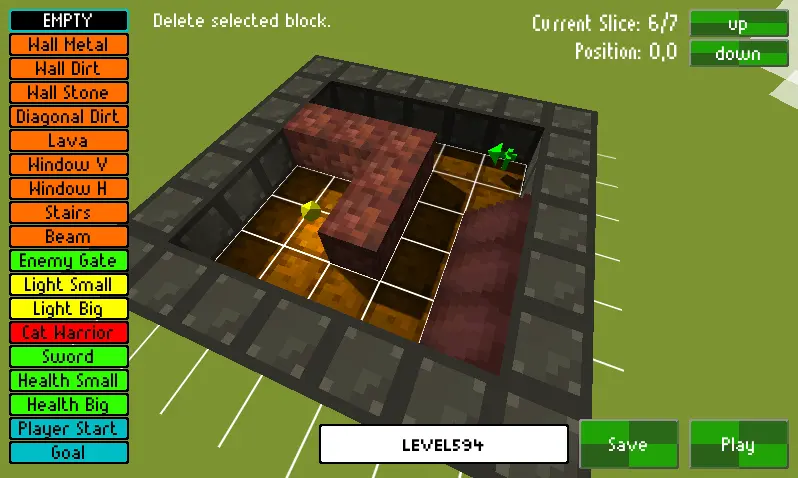
With this tool you can create your own little dungeon! Made in ~48h for Ludum Dare 23. This is unoptimized (just a collection of 3D boxes), so don’t become too crazy with the level extents. :o) I guess everything less than 20³ is okay, but YMMV. Also, don’t place too many lights, they will either flicker (with Forward Rendering) or be heavy on the performance (with Deferred Rendering). If you want to share larger levels (more than 1000 characters) via the comments, use services like ShareText or PasteBin. A nice example of a big level is Lavadive by Lockstep80 – more levels are on the project page Instructions Controls Edit Mode: WASD/RMB/ScrollWheel – Movement Q/E – Change Slice LeftClick – Edit RightClick – Pick Template T – Test Level F5/F8 – Quicksave/load Controls Game Mode: WASD/Mouse – Movement LeftClick – Attack Space – Jump T – Stop Test
Skepper
RatKingsLair / Friedrich Hanisch
Game Studio
Kategorie
Level Editor
Tik
Mini spel
Vrygestel
Onlangs
Spelers
0
MeerLevel Editor-speletjies
Jy sal dalk ook daarvan hou
Gewilde speletjies wat ander spelers tans liefhet.