
Theme Park
Theme Park
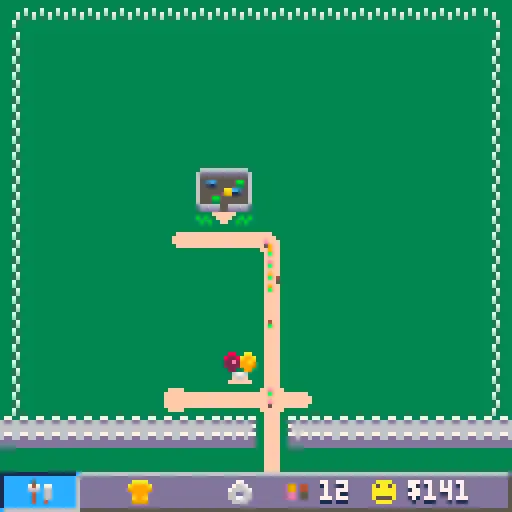
Controls Arrows: Move cursor around the screen. x: Select tool/menu/option. z: Return to previous menu. How to play Take an empty field and turn it into the next big Theme Park! Select the Tools to access the build menu. Start by placing paths, shops and your first ride. Watch out for the cost of the buildings to be sure to not run out of money. Guests will be attracted to your park over time and spend money at each of your rides and shops. Be sure to keep them happy by providing them with rides, food and toilets. As you save more money, better rides become available for you to build. Try to build them all and keep track of your park records. Tips: •Happy guests will attract more visitors. •Guests will lose happiness if they are hungry or need the toilet, so be sure to spread these around your park. Background My second completed project for the Pico 8! This started as a test for myself to build an efficient pathfinding algorithm for use in Pico 8. The test started with just paths and up to 2500 guests walking to different parts of a maze. This is the first time I had struggled with the token limit and towards the end I was really squeezing extra space out of my code to finish the project, and more squeezing can be done still I am sure! I had a lot of fun building this project, and although it is not very long, I hope you can have fun playing it too!Changes for v1.01 •Fixed the demolish tool, should now work as expected. •Improved logic checks for placing buildings. •Improved visitor logic for choosing next destination. Credits Game created by Joseph @JosephMakesGame
About BeeGames social
Playground and Play together are the BeeGames social layer — so you're never just playing alone.
What is a Playground?
Your Playground is your own personal game homepage. Pin the games you love, give it a name and a short bio, then make it public to share your personal arcade with anyone.
How do I use my Playground?
On any game page, tap “Playground” to pin that game. Head to My Playground to edit its name, bio and layout, then share your public link with friends.
What is Play together?
Play together lets you co-play the same game with friends in real time. Open a game room and everyone can play side by side while chatting in the room — like crowding around one screen, online.
How do I play with friends?
Tap “Play together” on a game page, pick a public room or a private one with a password, then share the room link with friends. You can also browse and join open rooms from the Lobby.