
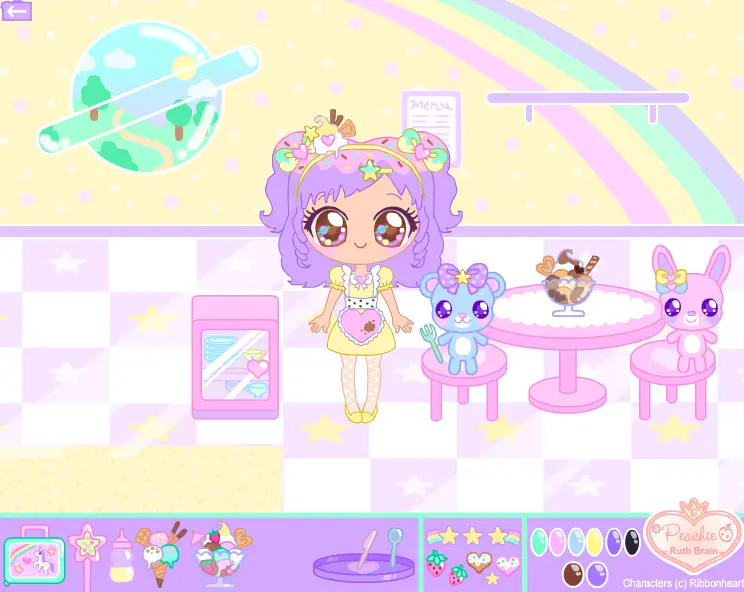
Lila Lightheart Doll
Lila Lightheart Doll
A present for my super gorgeous and talented friend https://ribbonheart.deviantart.com/ :heart: This doll is for Keyla because she has been such a kind and special friend to me for such a long time now. We can talk about anything; laugh, debate, gossip. She always helps give emotional support and also likes to make or send me little gifts in the mail! I find it hard to repay her kindess, but I hope she enjoys this nevertheless. ^_^ :star: Pose the doll's arms, legs, eyes and mouth. :star: Change her clothing and eye colours using bottom-right buttons. :star: Cabinet opens. :star: Stickers can be used to decorate. I am making a series of virtual dolls, which I meant to finish back in November last year! (as Christmas presents ^^;) It's really nice going back to making the poseable dolls which I used to create back in 2009. x__x; So, so fun! :heart: Fun news! I have a whole set lined up for other lovely e-buddies of mine- but please give me time, they take lots of love and patience. :giggle: --------------------------------------- This game is copyright Ruth Brain. Characters are copyright *https://ribbonheart.deviantart.com. :bulletpink: Do not steal, copy, edit and/or redistribute this game. :bulletpink: Do not post this game to other websites. :bulletpink: Do not post screenshots of this game to DeviantArt. Please respect the artist's rights. Thank you!
About BeeGames social
Playground and Play together are the BeeGames social layer — so you're never just playing alone.
What is a Playground?
Your Playground is your own personal game homepage. Pin the games you love, give it a name and a short bio, then make it public to share your personal arcade with anyone.
How do I use my Playground?
On any game page, tap “Playground” to pin that game. Head to My Playground to edit its name, bio and layout, then share your public link with friends.
What is Play together?
Play together lets you co-play the same game with friends in real time. Open a game room and everyone can play side by side while chatting in the room — like crowding around one screen, online.
How do I play with friends?
Tap “Play together” on a game page, pick a public room or a private one with a password, then share the room link with friends. You can also browse and join open rooms from the Lobby.