
JavaScript-MazeExplorer
JavaScript-MazeExplorer
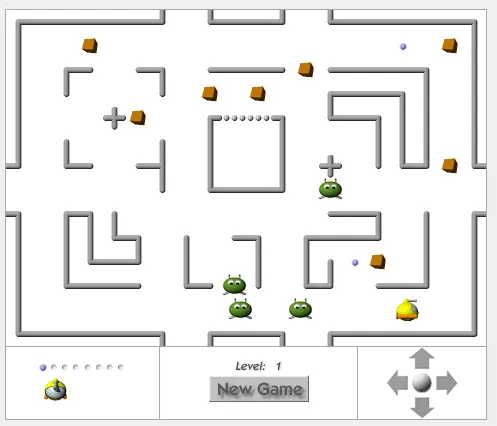
About JavaScript-MazeExplorer: This game was introduced as a demo-page for an advanced employment of image and layer animation for JavaScript 1.2 (Navigator 4.0 and compatible) in 1997. It has been updated for "modern" browsers (MSIE 4+, DOM-compatibles) in 2004. This page doesn't require any plug-ins or other extensions! Sounds: If Adobe Flash-Player 9.0 or higher is detected, an additional Flash-movie is used to provide the sounds. Flash is not used for any other purpose – the game works just the same without the Flash plug-in. The Story: Explore the mazes and collect as many boxes as possible. Your "Acme-Mazer Ltd. MazeExplorer Mk I" is equiped with a cannon specially developed to provide extra performance in mazes. It will be auto-deactivated for very short distances to protect you from the murderous blast reflected from the passages. But be aware of some limitations: There is only one shot a time and as luck will have it, you've forgotten to bring the ammunition. Collect up to a maximum of 8 bullets to help yourself against the maze's unfriendly inhabitents. (Any ammunition will be lost with a breaking ship.)
About BeeGames social
Playground and Play together are the BeeGames social layer — so you're never just playing alone.
What is a Playground?
Your Playground is your own personal game homepage. Pin the games you love, give it a name and a short bio, then make it public to share your personal arcade with anyone.
How do I use my Playground?
On any game page, tap “Playground” to pin that game. Head to My Playground to edit its name, bio and layout, then share your public link with friends.
What is Play together?
Play together lets you co-play the same game with friends in real time. Open a game room and everyone can play side by side while chatting in the room — like crowding around one screen, online.
How do I play with friends?
Tap “Play together” on a game page, pick a public room or a private one with a password, then share the room link with friends. You can also browse and join open rooms from the Lobby.