
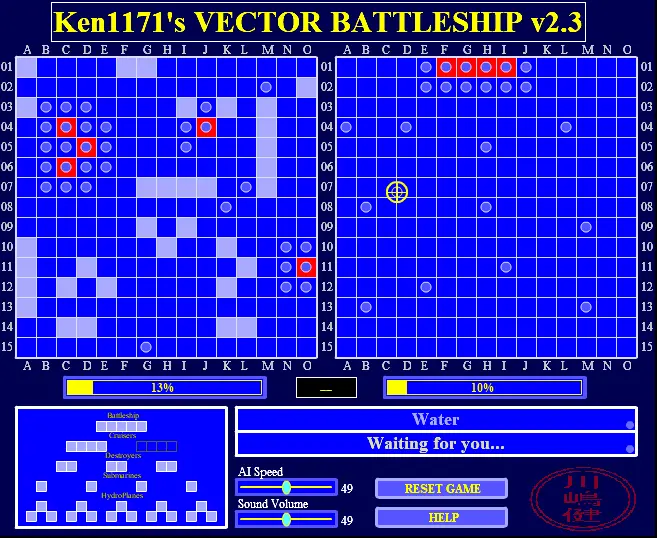
Vector Battleship
Vector Battleship
~Multimedia Vector Battleship~ * IMPORTANT: When using the game sliders, always release the mouse button while the cursor is STILL over the slider!! This was my very 1st board game created in ActionScript3! The artificial intelligence is pretty clever, so expect reasonable challenge here! ^_____^ If you have a faster computer, you can just slide AI Speed all the way up for very fast game play! Otherwise AI speed at 50% should be fine for most slower machines. The game rules are explained in the built-in help system. Just click HELP to learn how to play. Sound volume control only affects sounds that are *not* currently playing. So volume changes will be noticed next time that sound plays. NOTE: Game rules used here came from the paper version I have here on my desk. Keep in mind that different versions may exist with different rules. There is no right or wrong, just different versions of the same game. Hope you like it and thanks for coming by!
About BeeGames social
Playground and Play together are the BeeGames social layer — so you're never just playing alone.
What is a Playground?
Your Playground is your own personal game homepage. Pin the games you love, give it a name and a short bio, then make it public to share your personal arcade with anyone.
How do I use my Playground?
On any game page, tap “Playground” to pin that game. Head to My Playground to edit its name, bio and layout, then share your public link with friends.
What is Play together?
Play together lets you co-play the same game with friends in real time. Open a game room and everyone can play side by side while chatting in the room — like crowding around one screen, online.
How do I play with friends?
Tap “Play together” on a game page, pick a public room or a private one with a password, then share the room link with friends. You can also browse and join open rooms from the Lobby.