
HEXEP
HEXEP
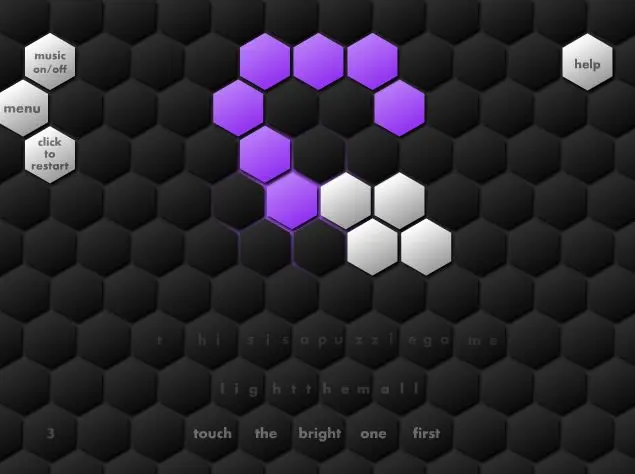
(Best played in Chrome or - though the level editor lags - Firefox. Avoid with IE due to glitches, working on that) A simple yet increasingly challenging puzzle game about lighting a path through hexagons. Comes with a level editor for creating levels and sharing them through Newgrounds' new(ish) data API, and also some medals to unlock. Use the mouse to light up unlit tiles (by rolling over them), with the brighter coloured tiles as starting points. Click to restart the level. Some tiles have different requirements, such as needing to be covered twice or in a particular order. The idea was to make a puzzle game where the puzzle or challenge wasn't in failing to understand the mechanics or accidentally missing something. Many puzzle games (point and click, spot the difference games, sometimes the puzzle elements of RPGs etc) could be quite cheap I felt, so I tried to make the focus of this on understanding and mastering a fairly simple concept instead of overloading you with new, confusing stuff. That went quite well and the game does manage to get incredibly challenging. Also, you can switch the theme from the options menu for a change of atmosphere. Enjoy! Sponsored by Spiked Math Games
About BeeGames social
Playground and Play together are the BeeGames social layer — so you're never just playing alone.
What is a Playground?
Your Playground is your own personal game homepage. Pin the games you love, give it a name and a short bio, then make it public to share your personal arcade with anyone.
How do I use my Playground?
On any game page, tap “Playground” to pin that game. Head to My Playground to edit its name, bio and layout, then share your public link with friends.
What is Play together?
Play together lets you co-play the same game with friends in real time. Open a game room and everyone can play side by side while chatting in the room — like crowding around one screen, online.
How do I play with friends?
Tap “Play together” on a game page, pick a public room or a private one with a password, then share the room link with friends. You can also browse and join open rooms from the Lobby.