
Hamtaro OC Maker
Hamtaro OC Maker
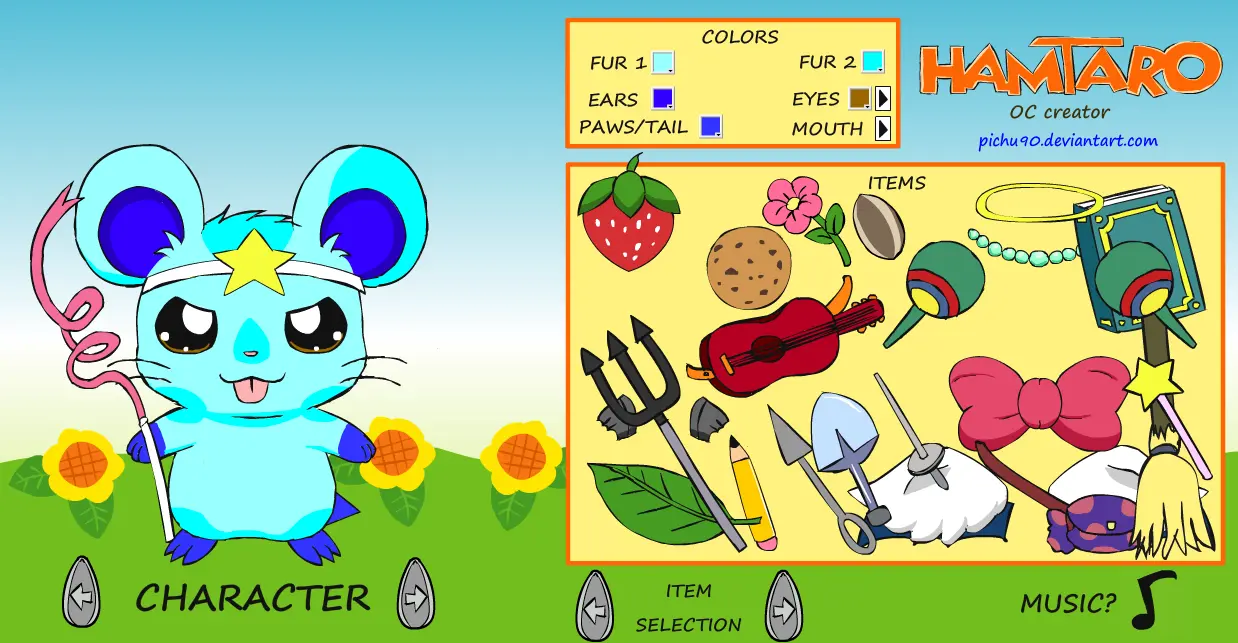
FINALLY AN UPDATE! :D A few more items, five additional characters and an easy to find Easter egg, which you may have seen coming >w< Can't say for sure if this is the last time I'll add more to this one but please enjoy and thank you for all your support ^^ ------------------ ORIGINAL -------------------- Hey guys, it's hamtaro time! :la: Dress up and customize an existing Hamtaro Character or make your own! :D Unlike my other dress ups, there are over a dozen models to choose from, to base an OC off of. I think the clothing/item selection still needs to be worked on but I wanted this to be primarily an OC maker more than a dress up if you understand ^^ This what I consider a personal breakthrough, even though I had difficulties with setting up the actionscript code, especially in setting up music for the first time in a dress up, as well as code to change between characters. One way I have reduced time in coding is building a java program to automatically generate that code from the item names. If that sounds complicated, don't worry I just use this code generator to make it easier for me XD The preloader animation, well was a last minute addition I thought of since I based it off the anime and ALMOST considered it a separate submission if it weren't for the fact that it was too close to the original. I will consider submitting it if enough people want me to =P Notes about this OC Maker: -- Use the "Print Screen" button on your keyboard and Paste into Paint to save your OCs -- There is NO reset button. Instead, reload or switch between ham-hams to reset colors. -- I warn you if you switch between characters you will lose the color information you changed. Eyes tend to change back to normal too. -- Penelope's selection may be limited based on clothing sizes not perfectly fitting her. Also, no Easter eggs of taking the cloth off exist. At least not yet... -- DO NOT post any OC pics based off this in your gallery, they belong in scraps. I don't want to be held responsible for violating rules ^-^; -- DO credit me when you post OCs, and I prefer you to let me see your creation. I might not always comment but I ALWAYS look :) This was a fun project, and it's still a work in progress. Will make minor updates for the most part. I felt like some things like more hair, clothes or accessories could be included and I will consider suggestions if they are specific enough. Have fun ^^
About BeeGames social
Playground and Play together are the BeeGames social layer — so you're never just playing alone.
What is a Playground?
Your Playground is your own personal game homepage. Pin the games you love, give it a name and a short bio, then make it public to share your personal arcade with anyone.
How do I use my Playground?
On any game page, tap “Playground” to pin that game. Head to My Playground to edit its name, bio and layout, then share your public link with friends.
What is Play together?
Play together lets you co-play the same game with friends in real time. Open a game room and everyone can play side by side while chatting in the room — like crowding around one screen, online.
How do I play with friends?
Tap “Play together” on a game page, pick a public room or a private one with a password, then share the room link with friends. You can also browse and join open rooms from the Lobby.