
RPG for the Sony PSP
RPG for the Sony PSP
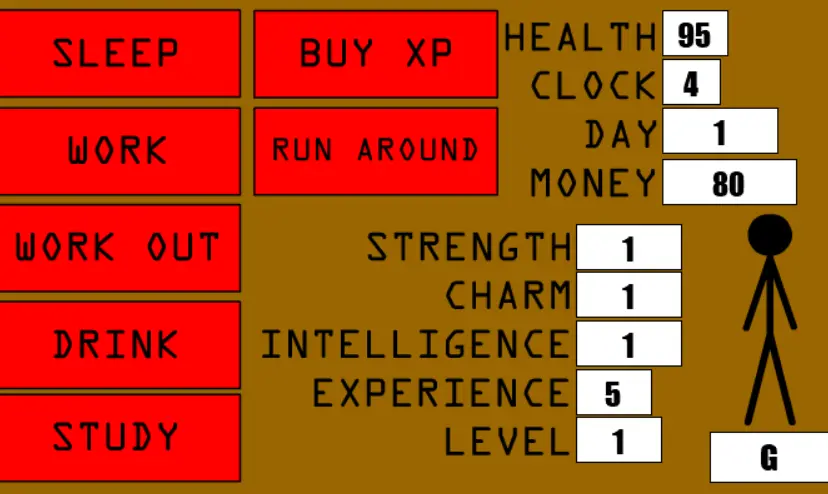
EDIT: Wow, it's been years since I made this, and it's amazing to look back at it to see how far I've come. To all of you who don't know, I've put a LOT of effort into making a TWENTIETH version of this game. Go check it out; it's lightyears ahead of this! Hey. A day or so ago I decided to make a game for my PSP. I tried one, and it was pretty good, but it took up to much memory, so I made this. It's a pretty bad RPG, but it's an RPG, so I decided I might as well use it. The reason it's so bad is because I had to make the memory as small as possible, so I crammed all the actions into one frame. Hey, most RPGs are the same as this except you walk around to do the same things. NOTE: When you're on your PSP, give it a go! It gets kinda catchy after a while. Also, consider anything over 1000 to be 1337. To download: -Click the icon to view the file -Right-click somewhere OFF of the Flash stage -Select "View Page Info" -Look under "Media" on the top tab -Search the list for something marked with type: Embed -Copy and paste that link into your URL box to see if it's the file you want -If it's not, look for another one on the list -If it is, make a link to that URL, then await further instructions -Right-click on the link you made -Select "Save Target As" or "Save Link As" -Save it onto your computer Onto the PSP: -Connect your PSP to your computer via USB -In the folder CONTAINING the folder labeled PSP, create a new folder labeled "Flash" -Drop the raw SWF file into that folder To play on the PSP: -Open your Internet Browser on the far left -Cancel the internet connection -Insert in the URL: file://Flash/RPG.swf NOTE: If you changed the name of the game file, change it on the above URL.
About BeeGames social
Playground and Play together are the BeeGames social layer — so you're never just playing alone.
What is a Playground?
Your Playground is your own personal game homepage. Pin the games you love, give it a name and a short bio, then make it public to share your personal arcade with anyone.
How do I use my Playground?
On any game page, tap “Playground” to pin that game. Head to My Playground to edit its name, bio and layout, then share your public link with friends.
What is Play together?
Play together lets you co-play the same game with friends in real time. Open a game room and everyone can play side by side while chatting in the room — like crowding around one screen, online.
How do I play with friends?
Tap “Play together” on a game page, pick a public room or a private one with a password, then share the room link with friends. You can also browse and join open rooms from the Lobby.