
Advanced Sprite Tutorial
Advanced Sprite Tutorial
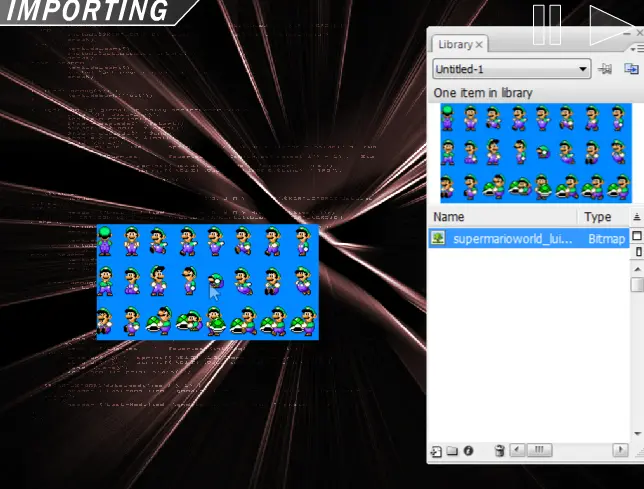
MAJOR EDIT ----- THE PROGRAM USED WAS ADOBE FLASH. ADOBE FLASHHHHH. EDIT: Appreciate the Frontpage Tom, thanks :) TIP: TO OPEN YOUR LIBRARY, PRESS CTRL+L in FLASH EDIT: Links arent working for somw unknown reason, we're trying to fix them, sorry. I know, its another sprite tutorial, but after looking around newgrounds for a while, I realized there is no real DESCRIPTIVE Sprite Tutorials on newgrounds. So for a whole week, we ended up making the best, most descriptive sprite tutorial we could manage, and its finnally done. What makes this sprite tutorial so much differant then the others, is that it guides you, and SHOWS you what to do along the way, and also shows you various sprtie techniques you can use to make a succesful sprite flash NOTES: - It Deals With Sprites, so if you dont like them, LEAVE - Thinks go fast, so you may PAUSE, and RESUME from the top right. - Its Very DETAILED, so if you want to take notes, it would be a good idea. - Its Very LONG, so load times may take a while Well, we hope our tutorial helps you, because it was hard work making it the best we could, Enjoy :) P.S. If its not trouble, please submit this to the Tutorials Collection, Thanks :)
About BeeGames social
Playground and Play together are the BeeGames social layer — so you're never just playing alone.
What is a Playground?
Your Playground is your own personal game homepage. Pin the games you love, give it a name and a short bio, then make it public to share your personal arcade with anyone.
How do I use my Playground?
On any game page, tap “Playground” to pin that game. Head to My Playground to edit its name, bio and layout, then share your public link with friends.
What is Play together?
Play together lets you co-play the same game with friends in real time. Open a game room and everyone can play side by side while chatting in the room — like crowding around one screen, online.
How do I play with friends?
Tap “Play together” on a game page, pick a public room or a private one with a password, then share the room link with friends. You can also browse and join open rooms from the Lobby.