
Vibrating Mass on a Spring
Vibrating Mass on a Spring
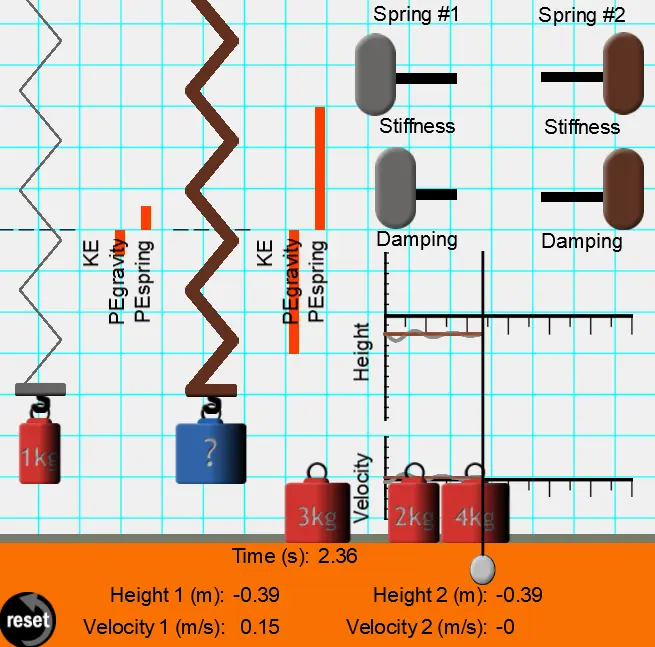
Pick up a mass and place it on the end of a spring and watch the mass bob up and down. Pull it off the spring and try placing a different mass on the end of the spring. Or use both springs and place different masses on each one of them. Ready to measure? Just click the Start button and the height of the mass, the velocity at which it is moving, and the time will all be measured and plotted on a graph. Values go by too fast? No problem with this Interactive - just drag a slider backwards across the graph and view height, velocity and time values at any point on the graph. As if that were not enough, you can also change the nature of the spring - changing both its stiffness and the amount of damping. This simulation is so realistic it is almost as if you are manipulating the real thing.
About BeeGames social
Playground and Play together are the BeeGames social layer — so you're never just playing alone.
What is a Playground?
Your Playground is your own personal game homepage. Pin the games you love, give it a name and a short bio, then make it public to share your personal arcade with anyone.
How do I use my Playground?
On any game page, tap “Playground” to pin that game. Head to My Playground to edit its name, bio and layout, then share your public link with friends.
What is Play together?
Play together lets you co-play the same game with friends in real time. Open a game room and everyone can play side by side while chatting in the room — like crowding around one screen, online.
How do I play with friends?
Tap “Play together” on a game page, pick a public room or a private one with a password, then share the room link with friends. You can also browse and join open rooms from the Lobby.