
Fruity Shots 2
Fruity Shots 2
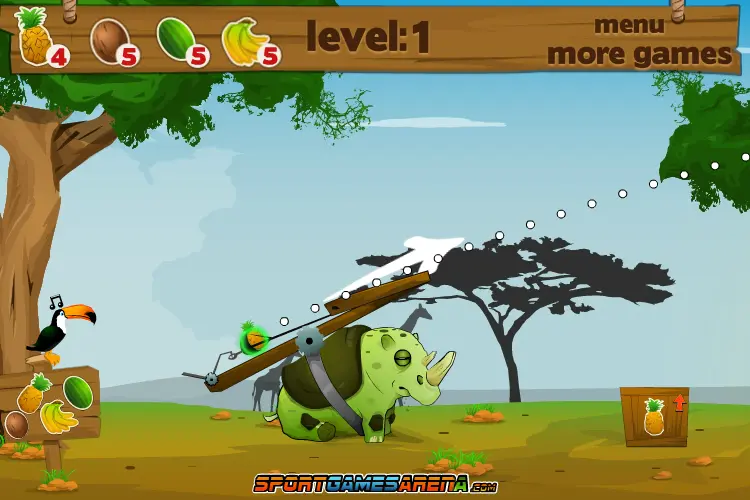
Extra, extra, play all about it! If you're into archery games and funky cartoonish game design, you will be super excited to hear about this important news! The awesome and super popular Fruity Shots game is back! And this time is has a series of cool improvements that will make you become even more addicted to it then before. If you liked the first round of looney shots of fresh fruits, you will love Fruity Shots 2. Just like in the original game, the sequel offers you the chance to improve your archery skills, helping you become a better hunter, a more straight forward player , all as you enjoy yet another fun archery game. Get ready for another 28 levels of complete fruity fun and let the funky hippo guide you all the way. You won't have any more wooden sticks to help your aiming angles, you won't have a velocity and angle calculator anymore, but instead you will have much more liberty when it comes to using you mouse. Choose your fruit shot from among the juicy watermelons, great looking pineapples, soft bananas or the rock-hard coconuts and start the shooting fun. Hold the mouse down and stretch it as much as you want, following the guiding white arrow on the screen to see your previous shots. At first it might seem difficult or tricky, but it is actually much more simple to have fun in the new and improved Fruity Shots 2 version of this archery game. Some new graphic additions include the wiglet wooden boxes, funky background details and all the right improvements from the previous fun session. So what are you waiting for? Jump in the new fun adventure and start poping up in the air some funky fruits to make the hippo proud of you!
About BeeGames social
Playground and Play together are the BeeGames social layer — so you're never just playing alone.
What is a Playground?
Your Playground is your own personal game homepage. Pin the games you love, give it a name and a short bio, then make it public to share your personal arcade with anyone.
How do I use my Playground?
On any game page, tap “Playground” to pin that game. Head to My Playground to edit its name, bio and layout, then share your public link with friends.
What is Play together?
Play together lets you co-play the same game with friends in real time. Open a game room and everyone can play side by side while chatting in the room — like crowding around one screen, online.
How do I play with friends?
Tap “Play together” on a game page, pick a public room or a private one with a password, then share the room link with friends. You can also browse and join open rooms from the Lobby.