
Enlarge your slip
Enlarge your slip
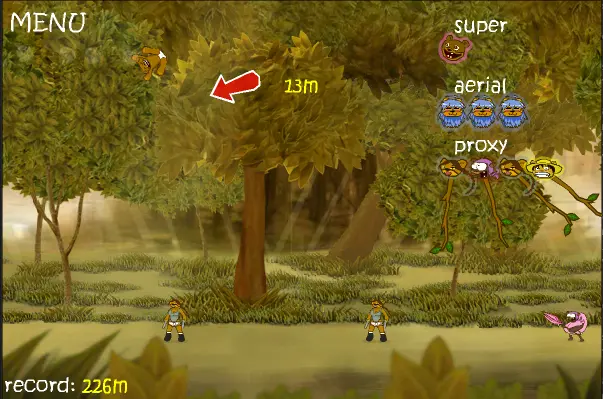
Description: Hello Megadude2008 ! Seraf_NSS just edited this post ! He is the creator of this game. “Enlarge your slip”‘s entire object is to keep a bear bouncing through the simple two-dimensional world for as long as possible. START: The game begins when you pull and release the character’s knickers. The more you pull, the faster he will go. To do so, click when you find the knickers’s tension good enough. That’s when your amazing trip begins. Your goal is to go as far as possible. AERIAL: At the beginning, you have 3 aerial bonuses at your disposal. These bonuses enable you to bring a special character that will propel you either in the air or on the ground, depending on his track. You can use these bonuses only in a specific area, between 3 and 10 meters high. If you stay in this zone, you will slowly get your used bonuses back. SPECIAL: Each character has his own specific attack that throws you. You can find the character’s portraits in the “special” menu. When you hit a character with the portrait appearing in “special”, you can lauch his attack if you click during the given time-frame, which will cause a unique action that will be used for knocking you out with great force and celerity. have fun Instructions: click on the screen for all action on the game
About BeeGames social
Playground and Play together are the BeeGames social layer — so you're never just playing alone.
What is a Playground?
Your Playground is your own personal game homepage. Pin the games you love, give it a name and a short bio, then make it public to share your personal arcade with anyone.
How do I use my Playground?
On any game page, tap “Playground” to pin that game. Head to My Playground to edit its name, bio and layout, then share your public link with friends.
What is Play together?
Play together lets you co-play the same game with friends in real time. Open a game room and everyone can play side by side while chatting in the room — like crowding around one screen, online.
How do I play with friends?
Tap “Play together” on a game page, pick a public room or a private one with a password, then share the room link with friends. You can also browse and join open rooms from the Lobby.