
Tetris'd
Tetris'd
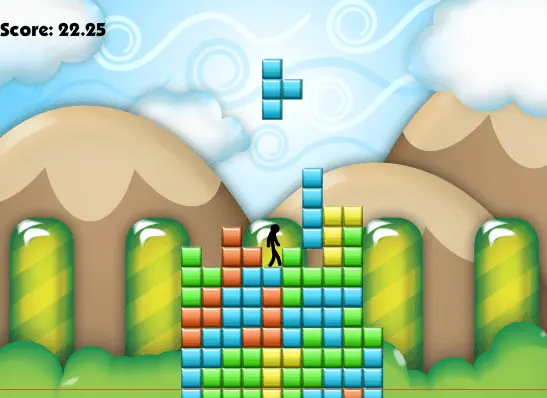
The game has finally arrived. Author Comments: Be sure to check out the official TETRIS'D fan page on Facebook! ----------------------------- ---FACTS AND TIPS--- -True G4m3r takes about 1113 seconds to get. -The most common glitch is caused by holding up and right while in a corner to the bottom right of the character. If you can avoid doing this, you will find that there are a lot less random deaths. To see what I am talking about, go into the tutorial and keep holding up and right. -Never press K while standing next to a wall four or more blocks high that is composed of two or more pieces. You will almost certainly die. -Ninja is by far the hardest medal in this game. Contrary to popular belief, it is not impossible. -If you are falling off the side, try using either J or K to save yourself. It can really help out. -If you are about to get crushed, sometimes J will glitch the character to jump up through the block and K will glitch the character to roll through the block. -True G4m3rs know how to use exploits to their advantage. ------------------- After receiving an overwhelming number of requests, I present to you the TETRIS'D game! I teamed up with programmer Cam McKinnon (LittleMonsterGames) in order to bring this game to life. We also kept Parker's fantastic music! Avoid the deadly tetrominoes and stay alive as long as you possibly can. The game goes on for as long as you can stay alive. Try and get the highest score possible. CONTROLS: Walk: Left/Right (or A/D) Jump: Up (or W) Grab+Roll: K (you grab onto a block next to you, and flip onto it) Wall Jump: J On a side note, I would like to thank all of my fans. You guys are the force that keeps me coming back to Newgrounds. I would also like to thank the game's sponsor, StickPage.com. Good luck everyone, and enjoy! Kobra Editing
About BeeGames social
Playground and Play together are the BeeGames social layer — so you're never just playing alone.
What is a Playground?
Your Playground is your own personal game homepage. Pin the games you love, give it a name and a short bio, then make it public to share your personal arcade with anyone.
How do I use my Playground?
On any game page, tap “Playground” to pin that game. Head to My Playground to edit its name, bio and layout, then share your public link with friends.
What is Play together?
Play together lets you co-play the same game with friends in real time. Open a game room and everyone can play side by side while chatting in the room — like crowding around one screen, online.
How do I play with friends?
Tap “Play together” on a game page, pick a public room or a private one with a password, then share the room link with friends. You can also browse and join open rooms from the Lobby.