
Ludo Garden
Ludo Garden
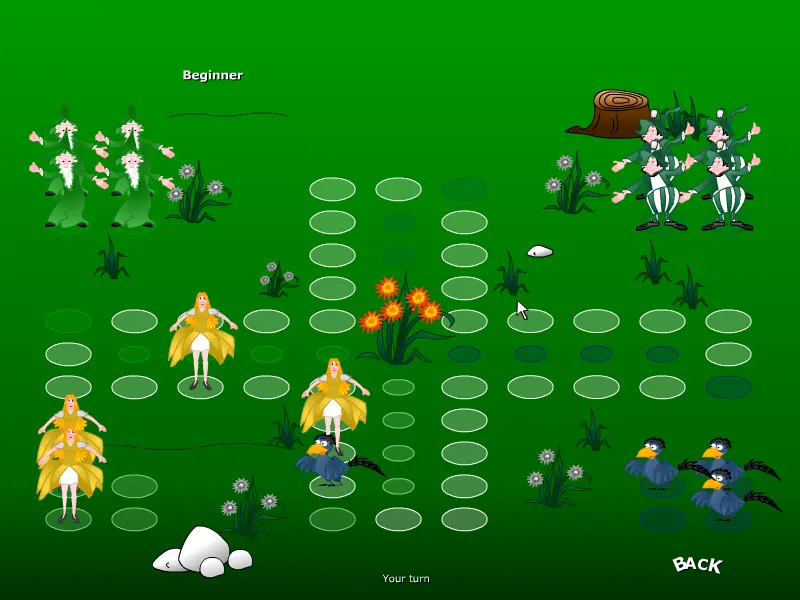
In this game it has four member group and each group contain 4 members called pieces. In this player select one group for his/her playing pieces and remaining computer pieces and in this user can click above flowers contain tree for drawing the number. If flowers draw 6 then piece ready for moving . Instructions 1) Every player needs to move its 4 figures to home. 2) To enter a piece into game play you need to have 6 flowers. 3) If you have X flowers you need to make X steps with the piece, but only if you can make these steps. 4) If you have 6 flowers you will have an additional flowers grow, with new x steps. 5) Nobody can enter into your home, and you can’t enter into others. 6) You can make steps if you are on the game board and the destination field does not have one of your pieces, you can only move clockwise. 7) If another player’s piece is on the destination position you send it back to its base. 8) If your figure was send to the base, you need to have 6 flowers to reenter into game play. 9) If you can’t enter and make any steps, it’s another player’s turn. 10) The winner is the one who first has all 4 players in his/her home.
About BeeGames social
Playground and Play together are the BeeGames social layer — so you're never just playing alone.
What is a Playground?
Your Playground is your own personal game homepage. Pin the games you love, give it a name and a short bio, then make it public to share your personal arcade with anyone.
How do I use my Playground?
On any game page, tap “Playground” to pin that game. Head to My Playground to edit its name, bio and layout, then share your public link with friends.
What is Play together?
Play together lets you co-play the same game with friends in real time. Open a game room and everyone can play side by side while chatting in the room — like crowding around one screen, online.
How do I play with friends?
Tap “Play together” on a game page, pick a public room or a private one with a password, then share the room link with friends. You can also browse and join open rooms from the Lobby.