
Kitty Town
Kitty Town
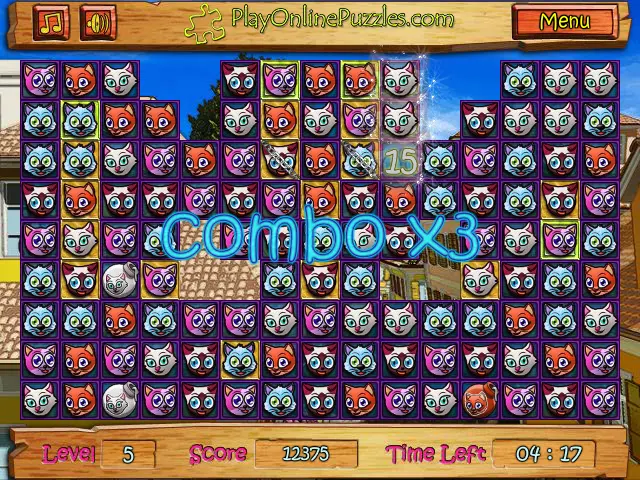
Kitty Town is a great game for those who love cats. It is a free online gems game, and you are supposed to get as many of them out of the board as you can, within two minutes. When it comes to time, the time which you had left in previous levels will be added to the time of the new level. So if you complete a level and have 30 seconds left, they will be added to the two minutes given for the next level. The fun bejeweled game also comes with special features which allow you to score more points. You can get a bomb when you match 5 gems in a row. This bomb will then be used to clear a 3x3 area when you match it once again to a kitten of its color. There are times when you will find a kitten that has a chain on it; this gem cannot be moved and you have to match it with others of it type so it can be released. They are used to block channels in some of the games, where there is more than one board, and they are linked by a single space. When you encounter this, the gems above cannot move to the spaces below so when you remove kittens in the lower board, the empty spaces are left blank and will not be filled until the chained kitten is set free. The fun bejeweled game has other special features and challenges that will make it very enjoyable to play. You clear one level when all the tiles below the kittens are removed. This means that you must have a strategy to clear the tiles in the given minutes while making the most in terms of points. Do not let it come too close, or else you may fail to remove all the tiles in time. Have Fun!
About BeeGames social
Playground and Play together are the BeeGames social layer — so you're never just playing alone.
What is a Playground?
Your Playground is your own personal game homepage. Pin the games you love, give it a name and a short bio, then make it public to share your personal arcade with anyone.
How do I use my Playground?
On any game page, tap “Playground” to pin that game. Head to My Playground to edit its name, bio and layout, then share your public link with friends.
What is Play together?
Play together lets you co-play the same game with friends in real time. Open a game room and everyone can play side by side while chatting in the room — like crowding around one screen, online.
How do I play with friends?
Tap “Play together” on a game page, pick a public room or a private one with a password, then share the room link with friends. You can also browse and join open rooms from the Lobby.