
Follow the Butterfly
Follow the Butterfly
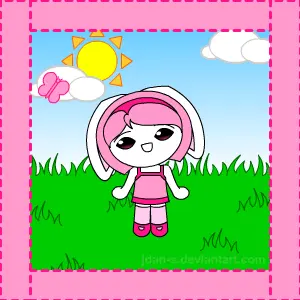
Move the butterfly around with your mouse, and Niho will follow it. This is an experiment on working with a movie clip that can change its rotation depending on the mouse cursor's position. I owe the rotation code to a helpful example file that Flash provided with its tutorial files. It's not a very complicated code, but the effect it gives is remarkable. My only complaint here is that her head's rotation isn't perfect when she's looking down. But otherwise, I'm very pleased with the results. Niho seems to come to life in this flash! :aww:
About BeeGames social
Playground and Play together are the BeeGames social layer — so you're never just playing alone.
What is a Playground?
Your Playground is your own personal game homepage. Pin the games you love, give it a name and a short bio, then make it public to share your personal arcade with anyone.
How do I use my Playground?
On any game page, tap “Playground” to pin that game. Head to My Playground to edit its name, bio and layout, then share your public link with friends.
What is Play together?
Play together lets you co-play the same game with friends in real time. Open a game room and everyone can play side by side while chatting in the room — like crowding around one screen, online.
How do I play with friends?
Tap “Play together” on a game page, pick a public room or a private one with a password, then share the room link with friends. You can also browse and join open rooms from the Lobby.