
Archerland Chapter 1
Archerland Chapter 1
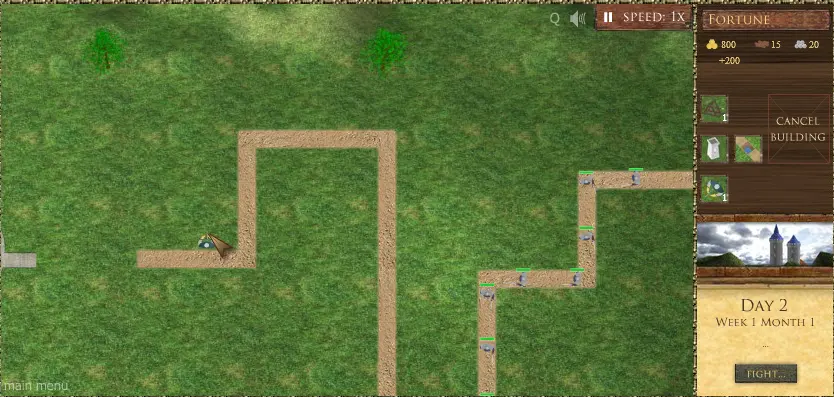
Build your own town and defend it from enemies... Author Comments: Welcome to the Archerland. To play this game you need to know the following: The game The aim of the game is to build your town and do not let your castle to be conquered. Roll over on the castle to see its health line. When the health line is empty your town is conquered end the game is over. 1. Main menu In the right menu on the top you can see your fortune - gold, wood and stones. You will need this resources to build buildings or buy weapons. Lower you can see your weapons (mangonels and cannons) and your army. You can see the pit and tower too. Build the tower to place an archer on it, make a pit to make enemies go slowly. If you have selected the item but you changed your mind, you can click on "cancel button" or press "Esc". In the bottom it is shown the day, week and month of your playing. Lower you can see what kind of enemies will attack you next day. Click "Next day" or press "Space" to start a new day. Click on the pause icon in right top corner or press "p" to pause the game. Click on "Speed" or press "s" to change the speed of the game. 2. Building menu Click on the castle image on the right panel to go to the building menu. You can also click on your castle or press "c" to do the same action. Here you can build different buildings. Each building has its purpose. If the item shown in green you can click on it and read the description of the building, find out its cost and either build it or go back. You can build just one building in one day. 3. Weapons and army You can click on the archer, mangonel or cannon that is already placed on ground to see the upgrade menu. In right corner you can see the information about item. Click "Upgrade" or press "u" to upgrade the item. If you click "Remove" or press "r" you will be able to place the item on the ground again, but all upgrades will be lost. Good Luck!
About BeeGames social
Playground and Play together are the BeeGames social layer — so you're never just playing alone.
What is a Playground?
Your Playground is your own personal game homepage. Pin the games you love, give it a name and a short bio, then make it public to share your personal arcade with anyone.
How do I use my Playground?
On any game page, tap “Playground” to pin that game. Head to My Playground to edit its name, bio and layout, then share your public link with friends.
What is Play together?
Play together lets you co-play the same game with friends in real time. Open a game room and everyone can play side by side while chatting in the room — like crowding around one screen, online.
How do I play with friends?
Tap “Play together” on a game page, pick a public room or a private one with a password, then share the room link with friends. You can also browse and join open rooms from the Lobby.