
A Koopa's Revenge 2
A Koopa's Revenge 2
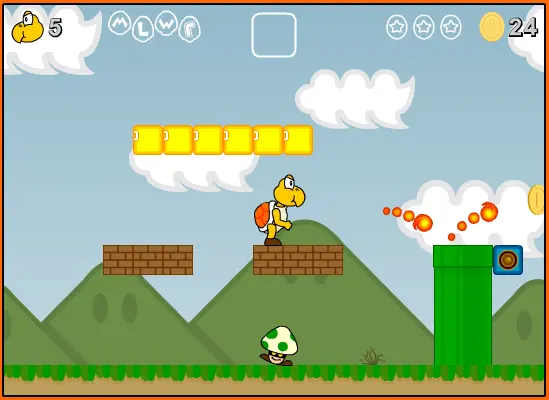
Default Controls: Arrow Keys: Movement S Key: Jump A Key: Run/Attack F Key: Swap Item from Box Mouse: Navigate Menus (also navigable w/Keyboard) Play as Goomba and Shyguy in the official version of A Koopa’s Revenge 2. After a harrowing quest to rescue his kidnapped Goomba pals, Koopa must chase down a mysterious robed assailant to rescue Bowser. Can you rescue your king and complete the game to 107%? This is the most up-to-date version of A Koopa’s Revenge 2 on the web. Version 2.0 to be precise. The culmination of half a decade of on-and-off development, AKR2 (A Koopa’s Revenge 2, it’s an initialism) is my biggest project to date. There’s a bunch I would like to have done differently, some design-wise, a ton code-wise. But regardless, I’m proud of the final result. There will be one more update to the game which will include a couple new features. But after that I’m moving on and won’t be adding any new features or fixing any bugs. Notes: If your file was erased and you have 107% completion, you can have my save. I recommend not using this to cheat yourself to the end. 016312857501111211111111111110000111111011111101111110011111011111101111110011111011111101111110111111011111101111110111111001111101111110111111001111100111110111111011111101111110011111001111100111110011111011010111101111091001000781004185
About BeeGames social
Playground and Play together are the BeeGames social layer — so you're never just playing alone.
What is a Playground?
Your Playground is your own personal game homepage. Pin the games you love, give it a name and a short bio, then make it public to share your personal arcade with anyone.
How do I use my Playground?
On any game page, tap “Playground” to pin that game. Head to My Playground to edit its name, bio and layout, then share your public link with friends.
What is Play together?
Play together lets you co-play the same game with friends in real time. Open a game room and everyone can play side by side while chatting in the room — like crowding around one screen, online.
How do I play with friends?
Tap “Play together” on a game page, pick a public room or a private one with a password, then share the room link with friends. You can also browse and join open rooms from the Lobby.