
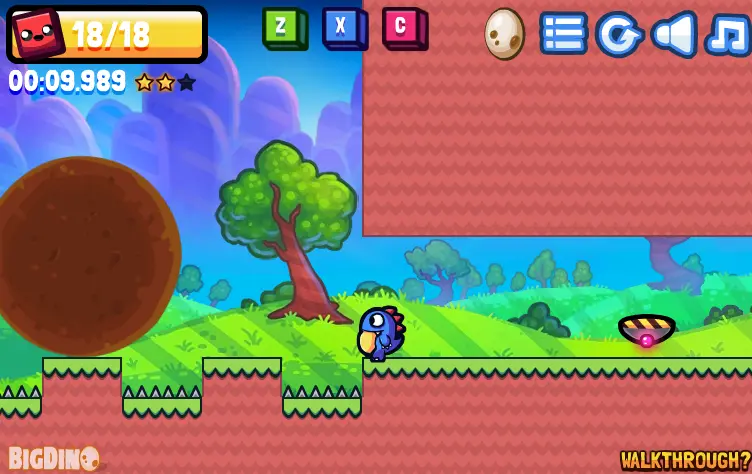
Dino Shift 2
Dino Shift 2
Collect blocks of the same color to unlock the level's exit in this sequel to Dino Shift. Author Comments: [Update: 3/7/14] A new version has been pushed that will fix the Newgrounds medals. If you have previously unlocked medals in-game but don't have them on your Newgrounds profile, simply load up the game and the ones you have unlocked should appropriately apply to your NG account! Please note that it may take a few hours for this build to finally appear live on Newgrounds! Jump and shift your way to victory in this sequel to Dino Shift. Collect blocks of the same color to unlock the level's exit. Dino Shift 2 is more complex in level design, but also more action-oriented than its predecessor. You'll need to be a lot quicker and more accurate in this sequel. --- Follow the developers: Tyler: http://www.twitter.com/ng_tyler Justin: http://www.facebook.com/justinwolfgames Jason: http://www.twitter.com/thejasoncoates
About BeeGames social
Playground and Play together are the BeeGames social layer — so you're never just playing alone.
What is a Playground?
Your Playground is your own personal game homepage. Pin the games you love, give it a name and a short bio, then make it public to share your personal arcade with anyone.
How do I use my Playground?
On any game page, tap “Playground” to pin that game. Head to My Playground to edit its name, bio and layout, then share your public link with friends.
What is Play together?
Play together lets you co-play the same game with friends in real time. Open a game room and everyone can play side by side while chatting in the room — like crowding around one screen, online.
How do I play with friends?
Tap “Play together” on a game page, pick a public room or a private one with a password, then share the room link with friends. You can also browse and join open rooms from the Lobby.