
Electro Air Hockey: Under the Mallet
Electro Air Hockey: Under the Mallet
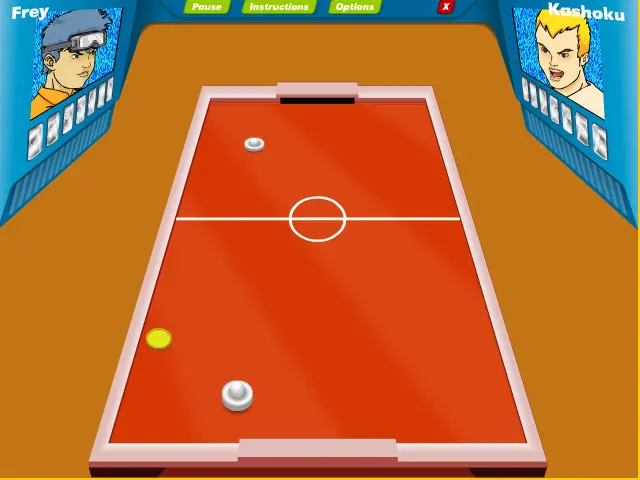
Electro Air Hockey: Under the Mallet is an air hockey game where the player needs to put the ball at the opponent's goal. There are three modes to the game: •Tournament mode: in this mode the player selects a character and needs to win 10 opponents. He will win an opponent If he will put the ball seven times at the opponent's goal. If an opponent will put the ball seven times at the player's goal, the game over. •Time attack mode: in this mode the player selects a time limit to the game (one minute, 5 minutes or 10 minutes), selects a character, and he needs to score as many goals as possible in that amount of time. •Survival mode: in this mode the player selects a character and needs to defeat as many opponents as possible without the opponent will put the ball even one time at the player's goal, else the game over. After the player put the ball one time at the opponent's goal, he defeat the opponent and will be other opponent to play with him. In tournament mode and time attack mode there is technical move for the player/opponent if the player/opponent gets some goals (there are players that need 4 goals, 2 goals or one goal). Each player has its own technical move (like the player's ball will hit the ball faster, the opponent's ball disappear for a few seconds, stopping the opponent's ball for a few seconds, the gate of the player is closed for a few seconds and more). When the player succeeds to win the tournament in tournament mode, get many goals in a time attack mode or get many goals in survival mode, he will get bonus material that includes things like unlock other characters and air hockey strategy tips.
About BeeGames social
Playground and Play together are the BeeGames social layer — so you're never just playing alone.
What is a Playground?
Your Playground is your own personal game homepage. Pin the games you love, give it a name and a short bio, then make it public to share your personal arcade with anyone.
How do I use my Playground?
On any game page, tap “Playground” to pin that game. Head to My Playground to edit its name, bio and layout, then share your public link with friends.
What is Play together?
Play together lets you co-play the same game with friends in real time. Open a game room and everyone can play side by side while chatting in the room — like crowding around one screen, online.
How do I play with friends?
Tap “Play together” on a game page, pick a public room or a private one with a password, then share the room link with friends. You can also browse and join open rooms from the Lobby.