
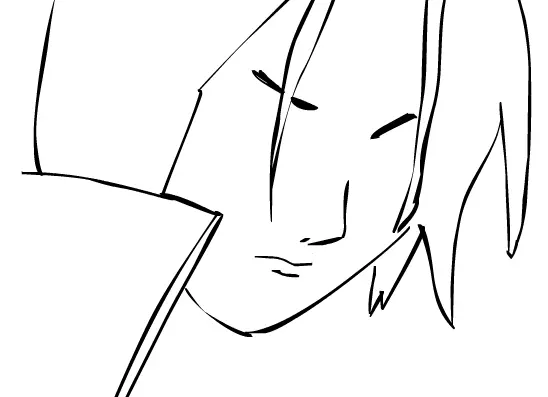
Art Processing: Itachi (part 1: lineart)
Art Processing: Itachi (part 1: lineart)
Second Addition to AP's. 1.GAARA: Pt. 1: http://www.fanart-central.net/pic-529624.html Pt. 2: http://img186.imageshack.us/my.php?image=untitled5fe4.swf Product: http://www.fanart-central.net/pic-553614.html 2. ITACHI Pt. 1: THIS Pt. 2: 3.TEMARI Pt. 1: http://www.fanart-central.net/pic-556837.html Pt. 2: http://www.fanart-central.net/pic-555866.html Product: SOON... Above all, this is the easiest. I did the hair first (like I always do) and just simply guessed the face. I suck at the lips, though. This was just originally a Flash doodle, though. Then when I lurved the hair, I started again and animated it. The colored one looks better, though. Also, can anybody teach me Itachi's mangekyou sharingan? It's so hard, that I just did the simple 3-dotted one. -_- I hate being suck-ish at eyes. It looks horrible, so I colored it, even though I know it's still in the lineart part. -_- Gotta get tutorials, now.
About BeeGames social
Playground and Play together are the BeeGames social layer — so you're never just playing alone.
What is a Playground?
Your Playground is your own personal game homepage. Pin the games you love, give it a name and a short bio, then make it public to share your personal arcade with anyone.
How do I use my Playground?
On any game page, tap “Playground” to pin that game. Head to My Playground to edit its name, bio and layout, then share your public link with friends.
What is Play together?
Play together lets you co-play the same game with friends in real time. Open a game room and everyone can play side by side while chatting in the room — like crowding around one screen, online.
How do I play with friends?
Tap “Play together” on a game page, pick a public room or a private one with a password, then share the room link with friends. You can also browse and join open rooms from the Lobby.