
Ice Cream Truck Beta
Ice Cream Truck Beta
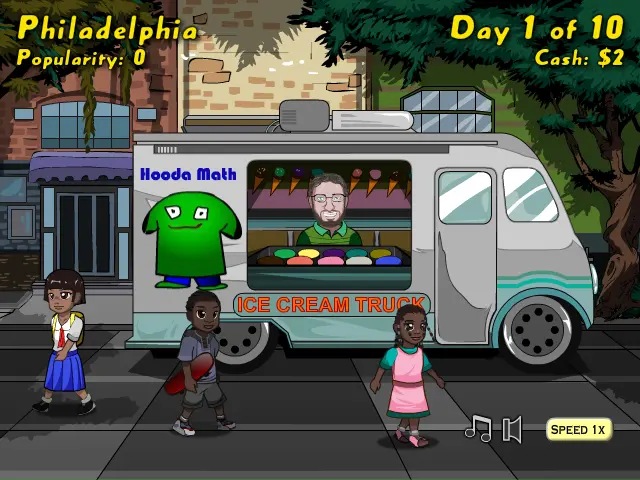
You own an ice cream truck and need to make money to travel the world. Author Comments: Your goal is to make enough money selling ice cream to move on to the next city. You will have ten days to reach the required amount of money. You will need to make more money for each city as you pass to higher levels. Each day, you can use your available money to purchase cones, ice cream, and toppings by pushing the yellow buttons in the inventory. The greater quantities you buy, the better the deals. For instance, 1 liter of ice cream costs $1.25, but you can purchase 2.5 liters for $2.50, which is more than twice the amount for only twice the price. Each day, you will also set the amount of ice cream, toppings, and price for each serving by moving the blue bars. As you slide these bars back and forth, note the box at the bottom of the screen that shows the maximum amount of servings that you can sell. For instance, if you have 5 grams of toppings in your inventory and you set the toppings to sell at one gram per serving, it will tell you that the maximum servings you can sell that round is five based on your limited amount of toppings. Be careful not to set the price too high. Even if you make more money at first, your popularity will go down, which means that you will get fewer customers in the next round. If you set a more fair price, your popularity will go up and you can expect more customers in the following round. When your popularity reaches five, expect a surprise when a famous visitor comes to buy some ice cream. After you purchase your inventory and set the amounts, select start day to see how you do in that round. At the end of each round, it will tell you how you did and you can view the graphs to see your increase or decrease in money and popularity. Play through each city until you reach the final level where you can try to get the high score.
About BeeGames social
Playground and Play together are the BeeGames social layer — so you're never just playing alone.
What is a Playground?
Your Playground is your own personal game homepage. Pin the games you love, give it a name and a short bio, then make it public to share your personal arcade with anyone.
How do I use my Playground?
On any game page, tap “Playground” to pin that game. Head to My Playground to edit its name, bio and layout, then share your public link with friends.
What is Play together?
Play together lets you co-play the same game with friends in real time. Open a game room and everyone can play side by side while chatting in the room — like crowding around one screen, online.
How do I play with friends?
Tap “Play together” on a game page, pick a public room or a private one with a password, then share the room link with friends. You can also browse and join open rooms from the Lobby.