
HH Sprites
HH Sprites
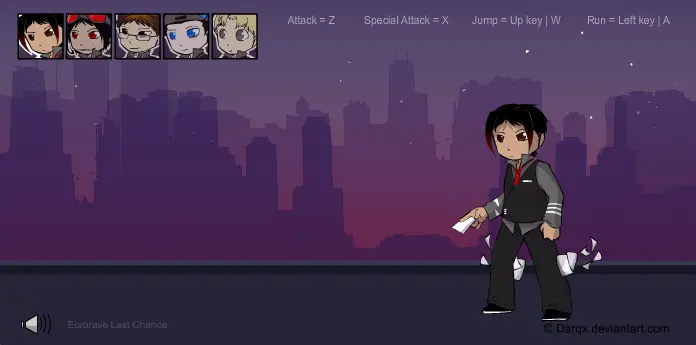
Controls: Attack = Z Special Attack = X Jump = Up | W Run = Left | A If you leave them alone for about 30 seconds, they go into extended idle animation. Finally, after a gajillion years ages of not looking at it, and then working on it in short stints between IRL work...it is done. :dummy: The .fla for this was a beast for some odd reason (i blame all the masks i used for my lazy arse shading). It got to the point where i couldn't drag particular movieclips onto the stage - Flash would just hang for a moment, then resume as if i'd done absolutely NOTHING - and kept randomly spitting Java Runtime errors at me. So i spent a nice enough amount of time changing a variable back and forth between two different numbers to trick it into working each time lol |D (Of course i say "lol" now that it's finished but during the moment it was more like https://fffuuuplz.deviantart.com/) I havent really tested it too extensively so i hope nothing...breaks or anything. Anyway enjoy the move sets! Marcus in particular, out of all of them his Special would be the strongest https://teheplz.deviantart.com/ --- Art + Animation © me [*https://darqx.deviantart.com] :cd: http://www.newgrounds.com/audio/listen/385932 by OcularNebular
About BeeGames social
Playground and Play together are the BeeGames social layer — so you're never just playing alone.
What is a Playground?
Your Playground is your own personal game homepage. Pin the games you love, give it a name and a short bio, then make it public to share your personal arcade with anyone.
How do I use my Playground?
On any game page, tap “Playground” to pin that game. Head to My Playground to edit its name, bio and layout, then share your public link with friends.
What is Play together?
Play together lets you co-play the same game with friends in real time. Open a game room and everyone can play side by side while chatting in the room — like crowding around one screen, online.
How do I play with friends?
Tap “Play together” on a game page, pick a public room or a private one with a password, then share the room link with friends. You can also browse and join open rooms from the Lobby.