
ハム将棋
ハム将棋
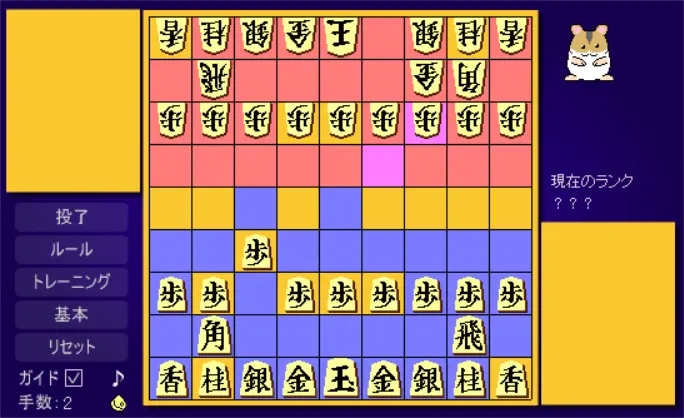
・相手の王を取れることが確定すれば勝ちです(詰み)。対局終了後はカーソルキーでも対局を再現できます。 ・ガイドにチェックを入れると、駒の利いている範囲とクリックした駒の動ける範囲を表示します。 青いマスは自分の駒だけが利いているので、ここに相手の駒があれば無条件で取ることができます。 赤いマスは相手の駒だけが利いているので、ここに自分の駒が入ったままだとタダで取られてしまいます。 紫のマスは両者の駒が利いていて、ここに自分から入って行くと取られる可能性があります。 青と紫半々のマスは自分の利きが優っているので、ここで戦いを起こすと優位に進めやすいです。 ・将棋が初めての方でも、ガイドをチェックして「ハム裸玉」から始めれば、気になった時にルールを見るくらいで、 駒を動かしているうちに慣れてくると思います。 (対裸玉での勝ち方の一例)左から3つ目の歩を動かす→角を一番右上に移動して馬にする→馬を中央に移動する →右から2つ目の歩をひたすら進めてと金にする→と金を左に移動→飛を上から3段目以内に移動して竜にする →竜と馬とと金でじわじわ王を包囲する(王の隣のマスに行くには味方の協力が必要です)→勝利 ・画像素材:はむの頭脳 ・効果音素材:WEB WAVE LIB ザ・マッチメイカァズ TAM Music Factory Free音素材「音楽室」
About BeeGames social
Playground and Play together are the BeeGames social layer — so you're never just playing alone.
What is a Playground?
Your Playground is your own personal game homepage. Pin the games you love, give it a name and a short bio, then make it public to share your personal arcade with anyone.
How do I use my Playground?
On any game page, tap “Playground” to pin that game. Head to My Playground to edit its name, bio and layout, then share your public link with friends.
What is Play together?
Play together lets you co-play the same game with friends in real time. Open a game room and everyone can play side by side while chatting in the room — like crowding around one screen, online.
How do I play with friends?
Tap “Play together” on a game page, pick a public room or a private one with a password, then share the room link with friends. You can also browse and join open rooms from the Lobby.