
Build a Map
Build a Map
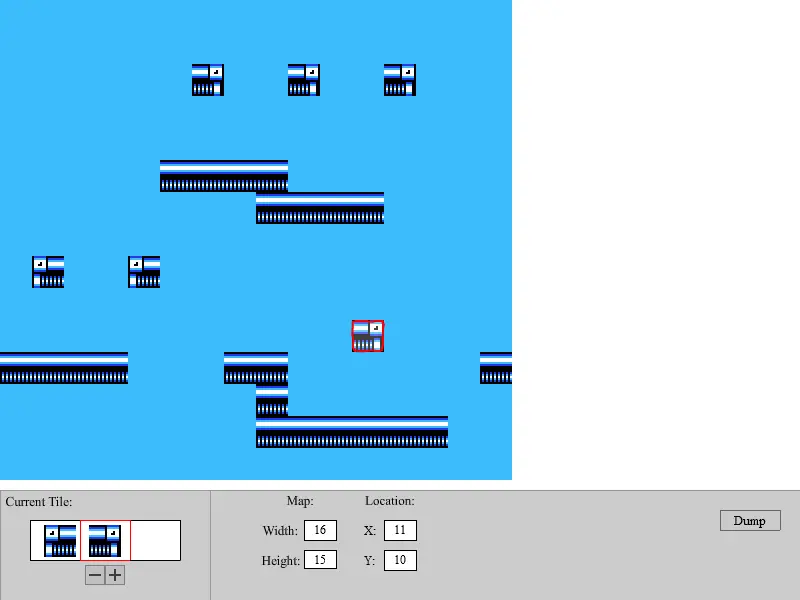
Well out with the old and in with the new. Typing the levels out was getting really old and fast. So I spent some time off the project to build a level editor of sorts. I know I still have a long way to go with it, but as with this whole project, its all baby steps. With Flash not supporting file-writing and only having file reading, I did not spend the time on the php code or working with the weebly server to get the dump to TXT file feature like i had originally planned. For now the editor can work on a single level screen at a time. The dump button, just calls up a routine to display that screen in its TXT format. At this point it just needs to be copied and pasted. If you're working on a single stage. Pasting all the screens into a single TXT file with some notation as to which screen is which would be great. Controls: Space or 0 - Place peice, Arrows or 4/5/6/8 - Move cursor tile, </> or 7/9 Change current tile, PgUp/PgDn - Change tileset Also to any of those who wish to help. Before I can build a new level. First all the unique tiles from that level must be ripped into individual png files. Then scaled from 16x16 tiles to 32x32. This seems like an insane amout of work, but its actually not too bad. There are a few levels I've partially ripped, but have no added to this editor engine. If you are willing to help. Please contact me through the comments page and I will try and work something out with you.
About BeeGames social
Playground and Play together are the BeeGames social layer — so you're never just playing alone.
What is a Playground?
Your Playground is your own personal game homepage. Pin the games you love, give it a name and a short bio, then make it public to share your personal arcade with anyone.
How do I use my Playground?
On any game page, tap “Playground” to pin that game. Head to My Playground to edit its name, bio and layout, then share your public link with friends.
What is Play together?
Play together lets you co-play the same game with friends in real time. Open a game room and everyone can play side by side while chatting in the room — like crowding around one screen, online.
How do I play with friends?
Tap “Play together” on a game page, pick a public room or a private one with a password, then share the room link with friends. You can also browse and join open rooms from the Lobby.