
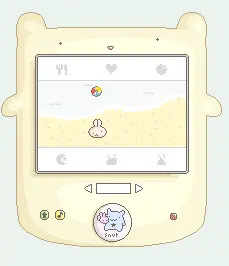
bitbit the virtual creatch
bitbit the virtual creatch
Oh it's finally here! Big flash project '07! :( Introducing bitbit the virtual babie creatch! Love himmm Here are some words: -Every image you see is drawn pixel-by-pixel by me. All scripted by me too. -The long load is because of the music, I think. sorry! -If you need instructions, click on the snut button. -Babie creatch #027 [link] -The music is by Lullatone, and all the sounds are from flashkit.com -Don't forget the grow button.. it's very important Make sure to click everything! everywhere! there are different scenes for babie bitbit and bitbit bear, and a lot of art & care went into each and every scene. And don't give me no "there can't be stars inside a house." I don't play that. Except do tell me if you find an important glitch and I'll fix it + HAVE FUN also this is 2-3 months of work right here :( LOL BYE
About BeeGames social
Playground and Play together are the BeeGames social layer — so you're never just playing alone.
What is a Playground?
Your Playground is your own personal game homepage. Pin the games you love, give it a name and a short bio, then make it public to share your personal arcade with anyone.
How do I use my Playground?
On any game page, tap “Playground” to pin that game. Head to My Playground to edit its name, bio and layout, then share your public link with friends.
What is Play together?
Play together lets you co-play the same game with friends in real time. Open a game room and everyone can play side by side while chatting in the room — like crowding around one screen, online.
How do I play with friends?
Tap “Play together” on a game page, pick a public room or a private one with a password, then share the room link with friends. You can also browse and join open rooms from the Lobby.