
Super Chibi Knight
Super Chibi Knight
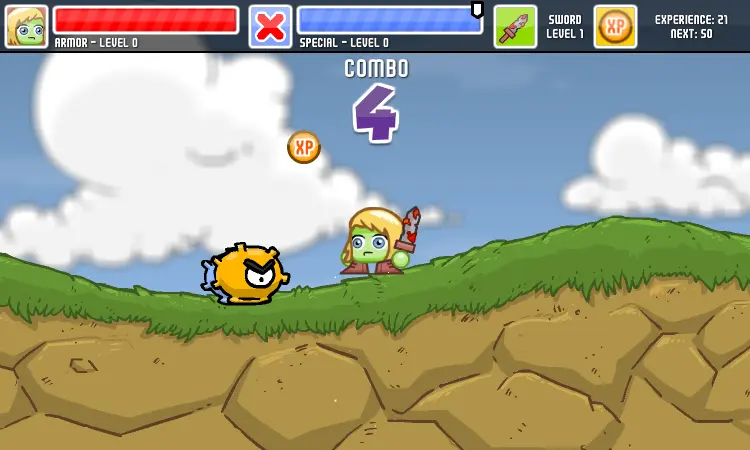
Experiencing Lag? Play in fullscreen! Press "F" or click from the main menu or pause menu! == Developer's Note: The web version of Super Chibi Knight features the first (BIG) world and lets you gain 5 out of the 10 possible levels for sword, armor, and magic. The full game is available on Steam for just $4.99 and has approximately 4 hours of extra content. If you like the web version, please consider purchasing the full version to support me in making more awesome games! == Get it on Steam: http://store.steampowered.com/app/283080 Get the Soundtrack: https://brianallenholmes.bandcamp.com/album/super-chibi-knight-ost Super Chibi Knight Supports GAMEPADS and FULLSCREEN! Controls, Music, Voice, and SFX Volume are customizable from the pause menu. Default Keyboard Controls (customizable in-game from pause menu): Arrow Keys = Move A = Attack S = Jump D = Special P = Pause Fullscreen = Click from main menu or pause menu Gamepad: Xbox 360 Gamepad Configuration by Default (customizable in-game from pause menu) The Kingdom of Oukoku is threatened by the spicy influence of General Tso. Citizens have placed their hope in a small knight who fits the requirements of ancient legends. Which path will the Chibi Knight choose... the path to the mysterious Island of Mahou to learn spells from its sorcerers or the path to the Beastmaster mountains to summon and ride an array of ferocious animals? Your choice will determine Oukoku's fate! Super Chibi Knight is an action adventure platformer with RPG elements. It was made by 33 year-old Dad and 8-year-old Daughter team PestoForce. The cute and colorful art and animation brings to life a rich world with a deep history and many secrets. Your in-game choices will determine your specialty, Sorcerer or Beastmaster, each affecting the course of the game. Do you have what it takes to reach the dastardly General Tso and stop him from taking over the world?
About BeeGames social
Playground and Play together are the BeeGames social layer — so you're never just playing alone.
What is a Playground?
Your Playground is your own personal game homepage. Pin the games you love, give it a name and a short bio, then make it public to share your personal arcade with anyone.
How do I use my Playground?
On any game page, tap “Playground” to pin that game. Head to My Playground to edit its name, bio and layout, then share your public link with friends.
What is Play together?
Play together lets you co-play the same game with friends in real time. Open a game room and everyone can play side by side while chatting in the room — like crowding around one screen, online.
How do I play with friends?
Tap “Play together” on a game page, pick a public room or a private one with a password, then share the room link with friends. You can also browse and join open rooms from the Lobby.