
3D riDDle
3D riDDle
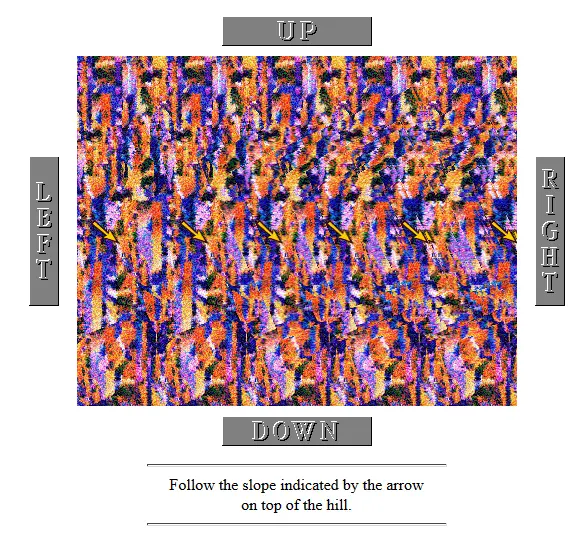
3D riDDle relies completely on SISs (Single Image Stereograms). If you can't see anything interesting in the stereogram above, have a look at the SIS viewing instructions or click here (ie. go somewhere else, because you won't have much fun with 3D riDDle). The idea in this little game is to navigate through a number of pages by solving three-dimensional riddles. On each page you have to solve a little puzzle hidden in a stereogram and - based on the outcome - choose one of four links to other pages, only one of which leads closer to the goal. The 3D riddles usually lead you, in one way or another, from the centre of the image to one of the borders. (For technical reasons the left and right borders of the 3D image don't really touch the borders of the real image. Just keep that in mind.) Simply click on the button corresponding to this border, and you'll get to the next page. The hints below the stereograms might be of some help too. Up until the sequel to this - 3D riDDle II - went online, people could enter their name and comment in the Hall of Fame, if they found their way to the last page. (There are more than 500 entries!) Now, I'm affraid, all you can do is to go on to 3D riDDle II. So there's not much to be won here, sorry. But I hope you'll enjoy the stereograms and have some fun with 3D riDDle. If you prefer looking at the SISs on paper, you can download them by clicking inside the image and then print them out. The 3D effect doesn't get lost in the process. One last thing: These pages are designed to be viewed with Netscape Navigator. If you're using a different browser, the layout of 3D riDDle might look a bit strange.
About BeeGames social
Playground and Play together are the BeeGames social layer — so you're never just playing alone.
What is a Playground?
Your Playground is your own personal game homepage. Pin the games you love, give it a name and a short bio, then make it public to share your personal arcade with anyone.
How do I use my Playground?
On any game page, tap “Playground” to pin that game. Head to My Playground to edit its name, bio and layout, then share your public link with friends.
What is Play together?
Play together lets you co-play the same game with friends in real time. Open a game room and everyone can play side by side while chatting in the room — like crowding around one screen, online.
How do I play with friends?
Tap “Play together” on a game page, pick a public room or a private one with a password, then share the room link with friends. You can also browse and join open rooms from the Lobby.