
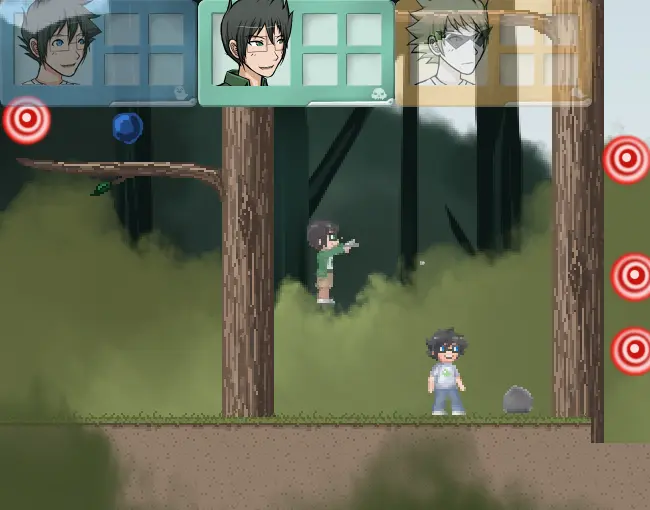
Lost Chums Test v0.03 - Random Collection Minigame
Lost Chums Test v0.03 - Random Collection Minigame
Firefox or Chrome are recommended! I turned the next ‘test’ into a random minigame kind of thing. Dirk can destroy the stones, jake the targets and button, john collects the blue things. If you get everything something appears on the right which is really random and you can’t do ANYTHING with it so don’t try.XD There are multiple ways to get the targets high in the air and it’s not necessary to get Jake on the tree to get them just you know… Good luck and have fun! (You can also get the characters stuck in a way then you have to restart, that part also won’t be part of the actual LC gameplay just playing around) Controls: 1,2,3 switches characters Dirk: A Flashstep, S attack (S twice= combo, S+down key is downslash) Jake: S Shoot (S twice = combo, S + up+right or left = upwards shoot), D Jump John: D Jump Made with: Scirra Construct 2
About BeeGames social
Playground and Play together are the BeeGames social layer — so you're never just playing alone.
What is a Playground?
Your Playground is your own personal game homepage. Pin the games you love, give it a name and a short bio, then make it public to share your personal arcade with anyone.
How do I use my Playground?
On any game page, tap “Playground” to pin that game. Head to My Playground to edit its name, bio and layout, then share your public link with friends.
What is Play together?
Play together lets you co-play the same game with friends in real time. Open a game room and everyone can play side by side while chatting in the room — like crowding around one screen, online.
How do I play with friends?
Tap “Play together” on a game page, pick a public room or a private one with a password, then share the room link with friends. You can also browse and join open rooms from the Lobby.