
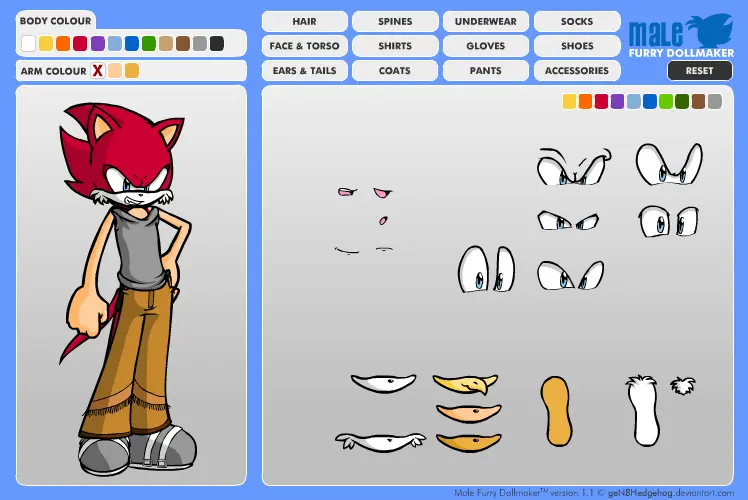
Male Furry Dollmaker
Male Furry Dollmaker
EDIT version1.1 now has a loading screen It's been over a year coming, but finally, FINALLY, Gen has completed her Male Furry Dollmaker! Due to popular (and I do mean popular) demand, here it is. I hope you all have as much fun playing it as I did making it. Complete with new items, colours, categories and interface, this was a very exciting and long task, but I hope you agree well worth the wait! --------- Thanks to the following people for their contributions to this project, I'd not have made it without you: ~https://kritter5x.deviantart.com/ For as always, your love, bringing me MORE coffee, and your endless playtesting advice and the many fix-logs you threw my way, to make this a better project. ~https://jkgoomba89.deviantart.com/ For his contribution of an entire outfit to the Male Furry Dollmaker. ~https://ste-c.deviantart.com/ , ~https://knuczema-the-echidna.deviantart.com/ and *https://beca-the-bat.deviantart.com/ For their contribution of items (belts and shoes) And to everyone else who encouraged me to complete this, as I said, I hope it's worth the wait, enjoy!! --- Some info about copyrights and uploading :bulletblue: Anything you make in this Furry Dollmaker becomes FREE FOR YOU TO USE. Any characters, you are welcome to upload to DeviantArt, or wherever you like, without permission. All I ask is that you give credit or a link to the Furry Dollmaker. :bulletblue: UPLOADING: If you want to show other people what you have made, you are welcome to upload it into your SCRAPS on DA, not your MAIN GALLERY. This is against the rules and could be removed. Besides, it's not technically something you have drawn. :bulletblue: You cannot save your doll in the Dollmakers (this is impossible to do in Flash), so please take a screen-shot of it using your "printscreen" key on your keyboard, then paste it into an art program =}
About BeeGames social
Playground and Play together are the BeeGames social layer — so you're never just playing alone.
What is a Playground?
Your Playground is your own personal game homepage. Pin the games you love, give it a name and a short bio, then make it public to share your personal arcade with anyone.
How do I use my Playground?
On any game page, tap “Playground” to pin that game. Head to My Playground to edit its name, bio and layout, then share your public link with friends.
What is Play together?
Play together lets you co-play the same game with friends in real time. Open a game room and everyone can play side by side while chatting in the room — like crowding around one screen, online.
How do I play with friends?
Tap “Play together” on a game page, pick a public room or a private one with a password, then share the room link with friends. You can also browse and join open rooms from the Lobby.