
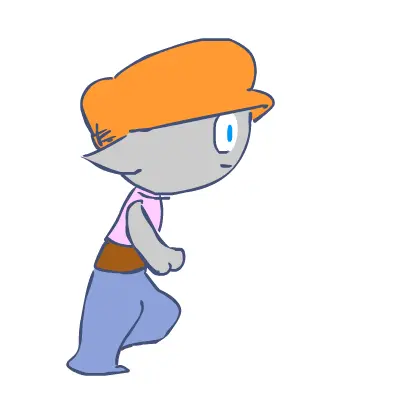
Veky Run cycle
Veky Run cycle
(VekyRun - 1) Veky Run cycle Let's start from the beginning. Before hitting flashplayer, let's try out a run cycle on paper. We will later trace the vectors while using the hand drawn animation as a base. The run/walk/jump-cycle principle is simple: You can use blueprints or observe a friend at different poses. Then, using a fixed reference point, draw each of the successive steps. Begin with simple lines and form and do not bother about detailling for now (circles, curves and ellipses are the key). (VekyRun2 -Brush) This time the pencil animation was loaded into the project library and the brush tool was used to redraw each frame. Place the pencil drawings on one layer, then draw upon each of them on a superior layer. Make forms with the brush then use the bucket to fill them. The brush is a very powerful tool. Don't be afraid to try out its multiple sizes and forms !
About BeeGames social
Playground and Play together are the BeeGames social layer — so you're never just playing alone.
What is a Playground?
Your Playground is your own personal game homepage. Pin the games you love, give it a name and a short bio, then make it public to share your personal arcade with anyone.
How do I use my Playground?
On any game page, tap “Playground” to pin that game. Head to My Playground to edit its name, bio and layout, then share your public link with friends.
What is Play together?
Play together lets you co-play the same game with friends in real time. Open a game room and everyone can play side by side while chatting in the room — like crowding around one screen, online.
How do I play with friends?
Tap “Play together” on a game page, pick a public room or a private one with a password, then share the room link with friends. You can also browse and join open rooms from the Lobby.