
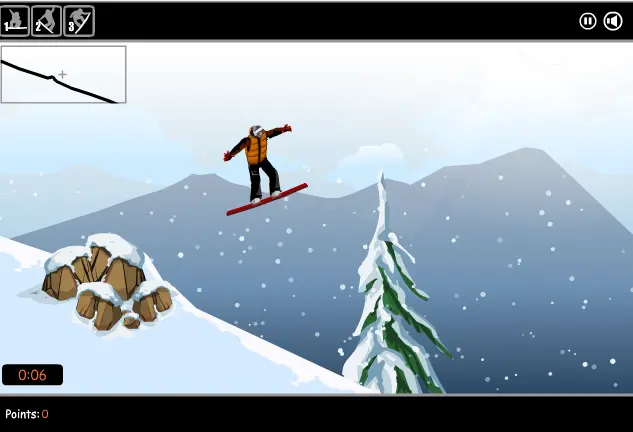
Snow Surfing
Snow Surfing
Ride your snowboard to the bottom of the slope without falling, and perform enough stunts for enough points to progress in Snow Surfing Game. To begin, select your slope by clicking on the red dots, this will indicate the score you must get to finish it successfully. Click on 'hit the slopes' to begin your first run. There are jumps and different slopes along the way to give you more air. The stunts available to you are indicated at the top of the screen, the further you progress, the more stunts will become available to you. You must perform enough stunts to gain the amount of points indicated. If you fall and crash, or don't score enough points, you have to start the level over again. Your points are indicated at the bottom left of the screen, along with the time it is taking for you to finish. The top left indicates the terrain of the slope. Controls / How To Play: To move forward press 'down' arrow, to tilt use 'right' and 'left', and numbers to do stunts. --- Box 10 description: Game Description: Hit the slopes and pull off some wicked stunts in this snowboarding extravaganza! Game Instructions: Up = Accelerate Left/Right = Tilt Space = Jump 1-6 = Stunts
About BeeGames social
Playground and Play together are the BeeGames social layer — so you're never just playing alone.
What is a Playground?
Your Playground is your own personal game homepage. Pin the games you love, give it a name and a short bio, then make it public to share your personal arcade with anyone.
How do I use my Playground?
On any game page, tap “Playground” to pin that game. Head to My Playground to edit its name, bio and layout, then share your public link with friends.
What is Play together?
Play together lets you co-play the same game with friends in real time. Open a game room and everyone can play side by side while chatting in the room — like crowding around one screen, online.
How do I play with friends?
Tap “Play together” on a game page, pick a public room or a private one with a password, then share the room link with friends. You can also browse and join open rooms from the Lobby.