
Turtle Island - Mini Playset
Turtle Island - Mini Playset
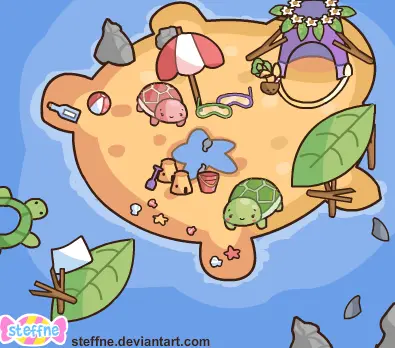
Welcome to Turtle Island! The green turtle is Tuck, and the little pink one is Shelly. Tuck is very protective and gets very worried when Shelly ventures into the deep waters. He tries his best to distract her from leaving the tiny island by buiding sandcastles and funny little contraptions out of twigs, leaves and any other scraps that the ocean washes up. Why is Tuck so protective of Shelly? Tuck was a School pet a long time ago, he grew sick of being trapped in his little cage and craved adventure. Along his travels he discovered many dangers he never once knew. One day bumping into a little abandoned pink turtle- Shelly! He tries his best to shelter her from the scary things he's seen. Especially sharks! Just a quick little playset that I knocked up in roughly an hour or two. Seriously needed a break from staring at AS3 code, also felt guilty that I hadn't uploaded anything Flashy in a little while >.<
About BeeGames social
Playground and Play together are the BeeGames social layer — so you're never just playing alone.
What is a Playground?
Your Playground is your own personal game homepage. Pin the games you love, give it a name and a short bio, then make it public to share your personal arcade with anyone.
How do I use my Playground?
On any game page, tap “Playground” to pin that game. Head to My Playground to edit its name, bio and layout, then share your public link with friends.
What is Play together?
Play together lets you co-play the same game with friends in real time. Open a game room and everyone can play side by side while chatting in the room — like crowding around one screen, online.
How do I play with friends?
Tap “Play together” on a game page, pick a public room or a private one with a password, then share the room link with friends. You can also browse and join open rooms from the Lobby.