
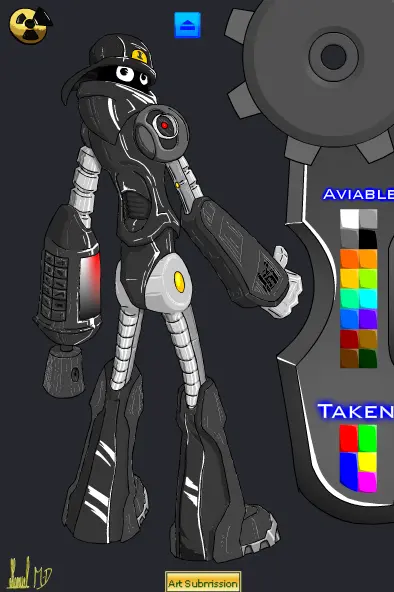
I-Bot Reinterpretation
I-Bot Reinterpretation
Based on some little tips MindChamber made to my first attempt of an I-bot overlook I've made this second try and give up all the info in this flash, although SkullBeatz for lending me his "Robot voice" tune for this flash. In the sections: "who is I-bot", "What The Look" and "Gallery" use the arrow buttons on the screen to next/previous frame. The "what the look" contains animated MovieClips, so you may wait a little before passing to the next layer. As I'm not a programmer but an artist I couldn't do much more than this, so hope you like the drawing and the coloring. EDIT: Hey, 8th in the daily, not bad for My second fash submission ever. EDIT: MindChamber has already setted I-Bot colour to White and silver. Check my other Bots Reinterpretation at the art portal.
About BeeGames social
Playground and Play together are the BeeGames social layer — so you're never just playing alone.
What is a Playground?
Your Playground is your own personal game homepage. Pin the games you love, give it a name and a short bio, then make it public to share your personal arcade with anyone.
How do I use my Playground?
On any game page, tap “Playground” to pin that game. Head to My Playground to edit its name, bio and layout, then share your public link with friends.
What is Play together?
Play together lets you co-play the same game with friends in real time. Open a game room and everyone can play side by side while chatting in the room — like crowding around one screen, online.
How do I play with friends?
Tap “Play together” on a game page, pick a public room or a private one with a password, then share the room link with friends. You can also browse and join open rooms from the Lobby.