
E-Sprites
E-Sprites
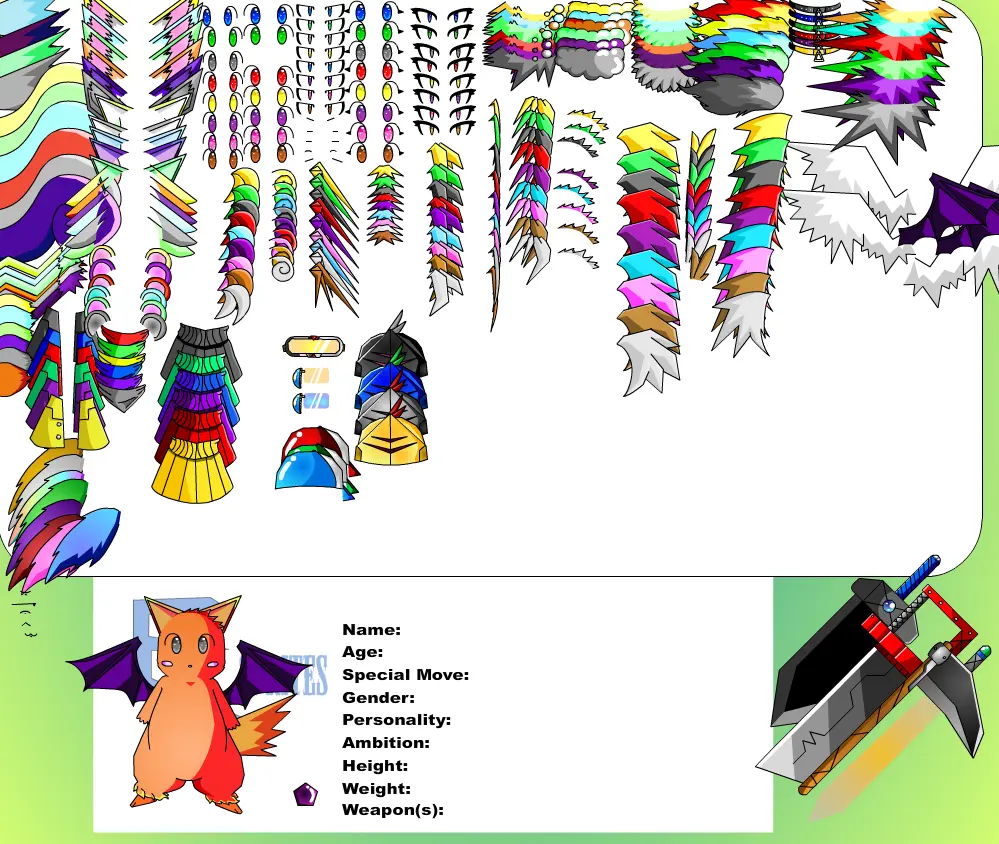
Made a new character creator for a little mini series thing I called E-Sprites ((Element sprites)) still a work in progress.. This actually took me a couple days to make despite the bad artwork... Anywho your free to use this creator and edit Screen saves just as long as you credit me o:... not that anyone would really want to use this pile of junk... Also there are three cameo items in this 2 added at some friends request 1. Xenal's Axe blade (c) :iconcloudstrife01: 2. Meister's goggles (c) to :iconsoundweavilemeister: 3. Don's Eyepiece (C) to :icontgbg: enjoy 4. Retzuko's hat (C) :iconretzuko: Reins sword (C) :iconbowser81889: Syroaran's tail (C) :iconnightsbeta09: Also remember to alert me of any glitches or bugs! Also element body types 1. Light/Lightning 2. Water/Ice 3.Fire/Flare 4.Plant/Wind 5. Darkness/Cosmos 6. Earth/Steal Bugs: All fixed for now That was all i could find i'll fix them as soon as i can
About BeeGames social
Playground and Play together are the BeeGames social layer — so you're never just playing alone.
What is a Playground?
Your Playground is your own personal game homepage. Pin the games you love, give it a name and a short bio, then make it public to share your personal arcade with anyone.
How do I use my Playground?
On any game page, tap “Playground” to pin that game. Head to My Playground to edit its name, bio and layout, then share your public link with friends.
What is Play together?
Play together lets you co-play the same game with friends in real time. Open a game room and everyone can play side by side while chatting in the room — like crowding around one screen, online.
How do I play with friends?
Tap “Play together” on a game page, pick a public room or a private one with a password, then share the room link with friends. You can also browse and join open rooms from the Lobby.