
UFO: ATK
UFO: ATK
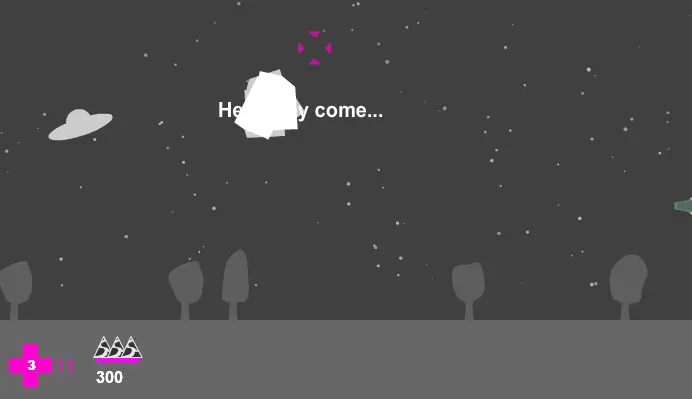
UPDATE #1: Added toggle buttons to the pause menu (ENTER) allowing you to switch autoLevel, autoFire, and the stars on and off during gameplay. Much thanks to rohcQaH. IMPORTANT: If you can't handle the controls, hit the options menu and select AutoLevel and AutoFire for a more standard shoot-em-up style. If you face any lag try turning off the stars. Controls, simplified Up/Down arrow keys - tilt the craft to move up and down A - Level the UFO X - Fire bullets (unlimmited ammo) C - Fire cow missiles (beam up amunition) SPACE - Active tractor beam ENTER - Pause UFO: ATK UFO: ATK is a sidescrolling shoot-em-up in which you control a UFO of unkown orogin, on a mission to collect specimens from earth. These bovine 'specimens' can be fired out of the UFO like missiles to better aid you in carving a path through waves on enemies. While the game draws on the original visual style of UFO: Noir, the gameplay is entirely disimilar. There are three quite different levels to play through, each with a password should you wish to return later and continue. The password will be given to you on your death. Each level ends with a uniquely designed, animated, and AI controlled Boss, which must be destroyed in order to move on. The are even difficulty settings which effect how many hit points your UFO begins with, try fragile for a real challenge! Easy: 200 Medium: 100 (default) Hard: 50 Fragile: 10 Of course a UFO doesn't quite steer the same way that most craft do: You'll use the up and down arrow keys to control the tilt of your craft. If you tilt it upwards it will glide upwards, likewise if you tilt it downwards it will drift downwards. You can use the arrow keys to align the craft horrizontally again to steady it, or you can hold the 'A' buttom to autoLevel. Alternatively, the auto level feature can be turned on in the options menu. Please don't gripe about the controls unless you've give the autoLevel and autoFire features a fair chance. I implemented them for the sole purpose of keeping everyone happy afterall. 8bitcollective credits: Falco Lombardi - We are gravity http://8bitcollective.com /music/Falco+Lombardi/We+ Are+Gravity+(pure+lsdj+ve rsion)/ Nebulosation - Travel through the space clouds http://8bitcollective.com /music/Nebulosation/Trave l+Through+the+Space+Cloud s/ alexicore5000 - Recharged http://8bitcollective.com /music/alexicore5000/rech arged/ NNNNNNNNNN - Sayonara my kanashimi http://8bitcollective.com /music/NNNNNNNNNN/sayonar a+my+kanashimi/
關於 BeeGames 的社交玩法
樂園和「一起玩」是 BeeGames 的社交層,讓你不再只是一個人刷遊戲。
樂園是什麼?
樂園是屬於你自己的遊戲主頁。你可以把喜歡的遊戲掛到樂園裡,寫上名稱和簡介,把它設為公開後就能作為你的個人遊戲館分享給任何人。
怎麼使用樂園?
在任意遊戲詳情頁點「樂園」就能把這款遊戲掛進去;進入「我的樂園」可以編輯名稱、簡介、調整展示,再把公開連結分享給朋友。
「一起玩」是什麼?
「一起玩」讓你和好友即時同玩同一款遊戲。開一個遊戲房間後,大家可以一邊玩一邊在房間裡聊天,找回小時候圍在一起玩遊戲的感覺。
怎麼和朋友一起玩?
在遊戲詳情頁點「一起玩」開房間,選擇公開或帶密碼的私密房間,然後把房間連結發給好友;你也可以在大廳裡瀏覽並加入正在開的公開房間。