BOSCHVOS
ボシュボス
لاعبون
2
التقييم
4.5★
الفئات
Level Editor
حول
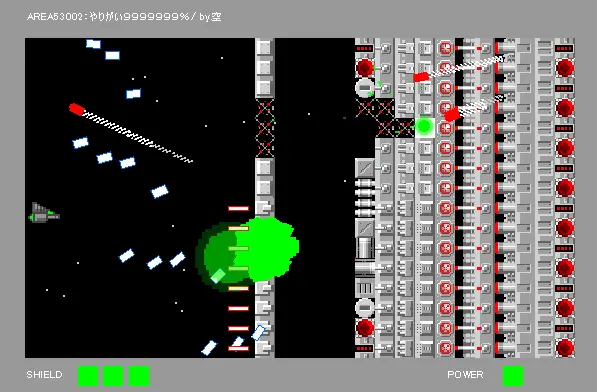
■PLAYモード シールドが無くなる前に全パーツを壊すか、コアまたは艦橋を破壊すればクリア マウス操作。左ボタンでオート連射 カーソルキー左右:前、次のエリアに移動 カーソルキー上:エリア一覧 カーソルキー下:現在のエリアの確認 ■EDITモード オリジナル戦艦を作って公開できます。 パレットからパーツを選んで設計図に配置してください。 動作チェックとテストプレイ後に保存できます。 DISCRIPTION Side view space shooter. Fight against thousands of battleships constructed by someone in the net. Create your own warships/fortresses and present them to all over the world. CONTROLS (PLAY MODE) Wipe all enemy units out or destroy all Bridges and Cores to finish an area, If all shields are lost, your starfighter will be destroyed. Mouse operation. Left click to fire weapon. LEFT and RIGHT cursor key - skip to previous/next area.. UP cursor key - View area list. DOWN cursor key - View informations of current area. CONTROLS (EDIT MODE) You can create your own space-warcraft. Choose parts from the palette and put it on the blueprint. Follow the data save procedure according to the instruction on the screen.
المبدع
BABARAGEO
استوديو الألعاب
الفئة
Level Editor
النوع
لعبة صغيرة
صدرت
مؤخرًا
لاعبون
2
المزيد من BABARAGEO
المزيد من ألعاب Level Editor
قد يعجبك أيضًا
ألعاب رائجة يحبها لاعبون آخرون الآن.