Snailiad
Hráči
2
Hodnocení
—
Kategorie
Metroidvania
O
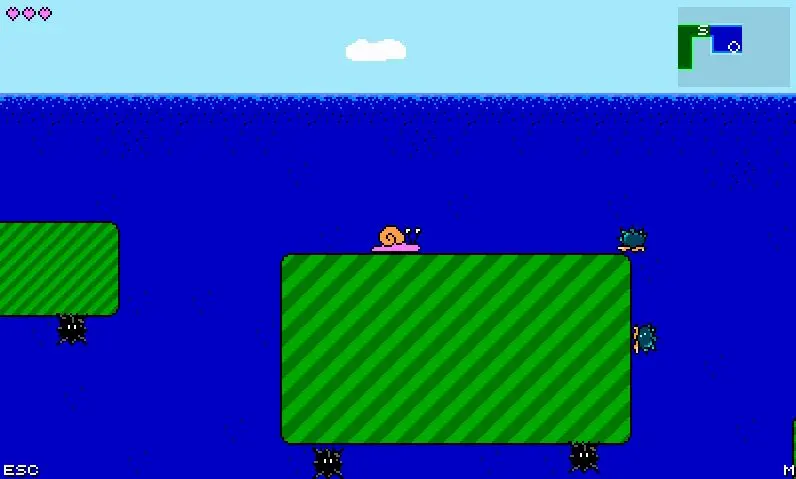
Explore Snaily World, collect new abilities and weapons, discover secret passages, and save the snails! CONTROLS - customizable ========================= Arrow keys to move Z to jump X to shoot a weapon C to shoot a weapon (and hold still) M for map (you can use TAB, but it won't work in IE) ESC or P for the menu (pause) ABOUT THE GAME ========================= Snailiad is an 8-bit-inspired game, which uses the NES palette most of the time, and uses NES music I wrote using Famitracker. I hope you enjoy it! :-) There's some references to eight-bit classihelped inspire Snailiad, and you might also find a cameo or two from RPG Shooter: Starwish, if you play long enough. Big thanks to: AdamAtomic, for Flixel! xdanond, for drawing some stuff! newstarshipsmell, for lots of testing! jsr, for Famitracker! ABOUT SAVE DATA ========================= Starting with Flash Player 10.3, Flash save data gets DELETED if you clear cookies or browser history. If you're having trouble with saves, this list might help: 1. Don't clear your cookies or history 2. Make sure the Flash Storage Settings say "Unlimited" 3. Make sure "private browsing" is OFF 4. Make sure "clear browser history on exit" is OFF 5. Make sure "block sites from setting any data" is OFF (for Chrome users) 6. Don't run a program that deletes stuff, like CCleaner or Better Privacy FINDING 100% ITEMS ========================= Once you defeat the final boss, you unlock the "radar"! The radar tells you how many items are left in the current area. HIDDEN MODE ========================= There's a hidden mode in Snailiad! Once you've unlocked it, it will be one of the choices in "NEW GAME", below EASY and NORMAL. TROUBLESHOOTING ========================= If you set your browser zoom below 100%, the bottom and right sides of the game will get cut off. Please make sure your zoom is at least 100%!
Komentáře ke hře
Zatím žádné zprávy. Začněte konverzaci.
Tvůrce
Auriplane
Herní studio
Kategorie
Metroidvania
Typ
Mini hra
Vydáno
Nedávno
Hráči
2