
johnWalkRunJump Test
johnWalkRunJump Test
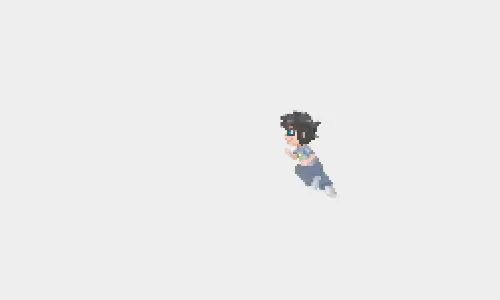
Homestuck fangame - Lost Chums - John Walk Run Jump Test 02 CONTROLS: Move with Left, Right; Jump with Up So I improved this now : D ! John can walk, run and jump now with new animations~ When he jumps during a run he can jump higher. Sorry, no more moonwalking.. but what you can try to do is this: you can try running from left to right and right to left in one fluent motion if you switch from pressing right to pressing left in JUST the right moment. This only works because john gets stopped when you press both buttons at the same time.. so if you quickly switch he just keeps running. It works bugfree for me (as far as I can tell nwo), hope it does for you too... Hope you like! comments make me happy~ More stuff concerning this: https://ChibiEdo.deviantart.com/art/HS-fangame-Lost-Chums-sketches-301429567https://ChibiEdo.deviantart.com/art/HS-Random-game-concept-thing-299527303 HS - Random game concept thing General notes about gameplay The idea of this game is based on an old 2D jump'n'run game called Lost Vikings for SNES and PC. In the first part you had 3 vikings, one could jump, one could fight, one had a shield and you had to get all of the vikings to the end of a level by utilising all of their skills. It also had extremely funny dialogue at the beginning and end of each level. In the 2nd game two characters were added with additional skills so you had 5 characters. You never had more than 3 at the same time though. Through teleporting around and stuff you always had 3 different characters in a level. Mixing around characters like this ghttps://ChibiEdo.deviantart.com/art/HS-fangame-LC-sketches-john-302505242https://ChibiEdo.deviantart.com/art/HS-pixel-sprites-299390818
About BeeGames social
Playground and Play together are the BeeGames social layer — so you're never just playing alone.
What is a Playground?
Your Playground is your own personal game homepage. Pin the games you love, give it a name and a short bio, then make it public to share your personal arcade with anyone.
How do I use my Playground?
On any game page, tap “Playground” to pin that game. Head to My Playground to edit its name, bio and layout, then share your public link with friends.
What is Play together?
Play together lets you co-play the same game with friends in real time. Open a game room and everyone can play side by side while chatting in the room — like crowding around one screen, online.
How do I play with friends?
Tap “Play together” on a game page, pick a public room or a private one with a password, then share the room link with friends. You can also browse and join open rooms from the Lobby.