Tiny RPG
Παίκτες
15
Βαθμολογία
—
Κατηγορίες
Dungeon Crawler
Περίπου
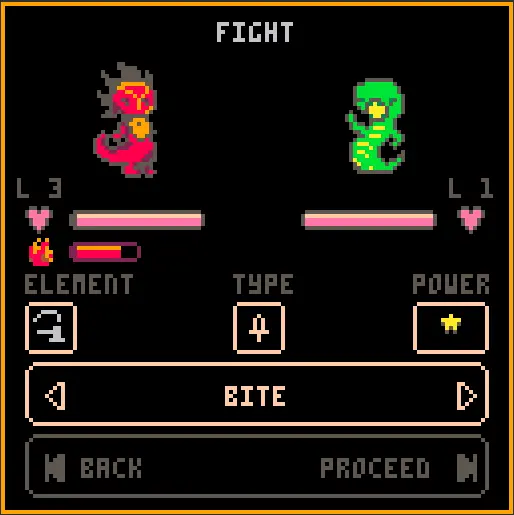
Set out on a Tiny Adventure! A happy couple finds their egg stolen by a T-Ruckus! You play as one of the dino-parents trying to chase the thief through a magical realm. What's in the 'box'? This might be one of the smallest RPG games you'll ever play! After choosing your hero in the tiny character creator you will pick your path through perilous lands. Level up and learn new moves to defeat your foes and gather treasure. It will come in handy once you find the tiny evil end-boss T-Ruckus. How to Play? Use the arrow keys on your keyboard to navigate through the game. Up and down usually provide different options. These can either be cycled through, canceled or confirmed by pressing the left or right arrow key. Sharing is caring! This project was developed by me (Emiel Kampen) as a prototype for a larger game. Please let me know what you like and dislike about Tiny RPG as it will help me improve the final version. Please consider donating! All the funds will be used for development of TinyRPG for Apple Watch ( and other platforms in the future). Visit https://tiny-rpg.com for more information on the Apple Watch version of the game! You can also follow me on Twitter via @Prrrpl to get the latest news and updates on this and future versions of Tiny RPG! Special thanks: Cover/Marketing Art: Sonja Van Vuure (@SipSapSon) Playtesting and Feedback: Jeroen Wimmers (@JeroenWimmers), Ferdi Özgürel (@Ferdi_Ozgurel), Killkonie and anyone else who took part in pre-release testing. Other: Gamekings, Hogeschool voor de Kunsten Utrecht.
Σχόλια παιχνιδιού
Δεν υπάρχουν ακόμα μηνύματα. Ξεκινήστε τη συζήτηση.
Δημιουργός
Emiel Kampen
Game Studio
Κατηγορία
Dungeon Crawler
Τύπος
Μίνι Παιχνίδι
Απελευθερώθηκε
Πρόσφατα
Παίκτες
15