Pinball
Oyuncular
2
Puan
4.5★
Kategoriler
Pinball
Hakkında
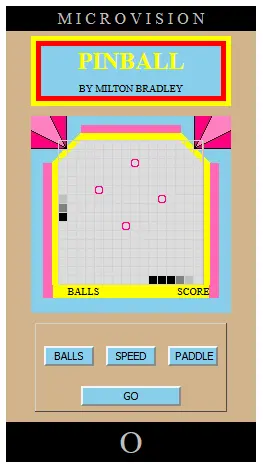
Pinball Instructions (Copied directly from original game manual) 1. Slide ON/OFF switch up to ON. The option selection screen appears. (See NOTE below about ON/OFF switch). 2. Press BALLS key to select the number (7, 5, 3, 1 or 9) of balls you want to play. 3. Press SPEED key to select the speed (Fast or Slow) of the ball. 4. Press PADDLE key to select the width (Triple or Double) of the paddle. Note: The Double width paddle only allows for diagonal play. 5. Press GO and the ball appears on the screen. 6. Turn the Control Knob (simulated with the mouse) on the console to move the ball to a starting position. 7. Press GO to shoot the ball. When you press GO the paddle appears on the screen. Use the Control Knob to move the paddle. 8. Bounce the ball off the paddle into the four bumpers. Try to keep the ball richocheting off the bumpers to score points. 9. When you hit a bumper with the ball, you score 1 point. Hit the same bumper four times and it lights up. Every subsequent hit on the bumper earns you 2 points. When you get all four bumpers lit, you score 3 points for each subsequent hit. 10. When you miss a ball, your score appears on the screen. You will also see how many balls you have left to play. 11. Press GO to start a new round. Press GO again to shoot the ball. 12. When you have played the number of balls selected at the beginning of the game, your score for the game appears on the screen. (After reaching 999 points, you must add 1,000's to the score that shows on the screen.) 13. To start a new game, select your options then press GO twice. Remember to use the Control Knob to move the paddle from side to side as the ball is in play. Remember to turn the power off when not playing the game. NOTE: The game's original on/off switch is not simulated - the simulator is always "on". To simulate the effect of turning the game off and back on (to abandon a game that's not going well), use the browser's refresh button.
Yaratıcı
Bob Eichler
Oyun stüdyosu
Kategori
Pinball
Tür
Mini oyun
Yayınlandı
Yakın zamanda
Oyuncular
2
Bob Eichler tarafından daha fazlası
Daha fazla Pinball oyunu
Şunları da beğenebilirsin
Diğer oyuncuların şu anda sevdiği popüler oyunlar.